Our Verdict
Creality K1C Wins
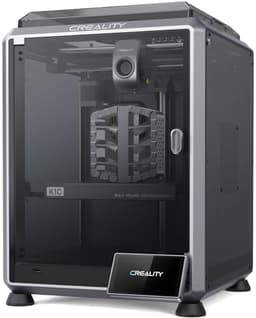
Despite a slightly smaller build volume of 220x220x250mm compared to the P1S's 256x256x256mm, the K1C offers a superior max print speed of 600mm/s versus 500mm/s and comes in at a more attractive price point of $399. Crucially, it natively supports carbon fiber filaments, expanding material versatility for engineering-grade prints. The Bambu Lab P1S is the better pick for users who prioritize a larger build volume for bigger parts or who plan to upgrade to multi-color printing with a separate AMS unit, and don't need carbon fiber capabilities.
Bottom Line: Creality K1C is the better choice. Despite a slightly smaller build volume of 220x220x250mm compared to the P1S's 256x256x256mm, the K1C offers a superior max print speed of 600mm/s versus 500mm/s and comes in at a more attractive price point of $399.
In-Depth Analysis
How they compare in practice
The Bambu Lab P1S and Creality K1C both represent formidable options in the enclosed FDM 3D printer market, but cater to slightly different user priorities through their distinct feature sets and performance metrics. A primary differentiation lies in print speed and build volume. The Creality K1C edges out the P1S in raw speed, boasting a maximum print speed of 600mm/s compared to the P1S's 500mm/s. This 100mm/s difference translates to noticeably shorter print times for complex or large models, making the K1C particularly appealing for users where production efficiency is paramount. However, the Bambu Lab P1S offers a more generous build volume of 256x256x256mm, providing significantly more space for larger single-piece prints or batch printing multiple smaller objects, contrasting with the K1C's 220x220x250mm.
Material compatibility presents another critical divergence. The Creality K1C stands out with its native support for carbon fiber filaments, coupled with a 300°C nozzle temperature. This capability is invaluable for engineering-grade applications requiring high strength-to-weight ratios and enhanced stiffness, which the P1S, unfortunately, does not support. While the P1S handles a diverse range of common filaments like PLA, ABS, PA, and PC, its inability to print carbon fiber might be a deal-breaker for advanced users. Conversely, the P1S offers multi-color support, albeit requiring the separate AMS unit, a feature not highlighted for the K1C.
In terms of user experience and additional features, both printers offer auto bed leveling for consistent first layers. The K1C enhances monitoring with an integrated AI camera that detects print failures, a valuable tool for unattended printing. Its direct extruder is also designed to be clog-free, promoting reliability. The P1S emphasizes a quick setup, claiming readiness in 15 minutes, which appeals to users seeking immediate usability. The K1C's slightly lower price point of $399 compared to the P1S's $419 further strengthens its value proposition for those prioritizing speed, advanced materials, and smart monitoring features without compromising too much on build volume. Ultimately, the choice hinges on whether a larger print area and potential multi-color upgrade path or superior speed and carbon fiber capabilities align better with a user's specific printing goals.
Key Differences
The most significant spec differences at a glance
Max Print Speed Mm S
17% lessAdvantages
Where each product wins

Creality
- Max Print Speed Mm S: 17% higher (500.0 vs 600.0)
Which to Pick for Your Situation
Concrete scenarios with a clear recommendation
For rapid prototyping or batch production
CrealityThe Creality K1C offers a higher max print speed of 600mm/s, significantly reducing print times for multiple iterations or small batches compared to the P1S's 500mm/s.
For printing large functional parts
BAMBULABThe Bambu Lab P1S features a larger build volume of 256x256x256mm, accommodating bigger single-piece models or allowing for more components to be printed simultaneously than the K1C's 220x220x250mm.
For advanced engineering-grade materials like carbon fiber
CrealityThe Creality K1C explicitly supports carbon fiber filaments and has a 300°C nozzle, making it suitable for high-strength, specialized applications that the P1S does not cater to.
For budget-conscious users prioritizing value
CrealityAt $399, the Creality K1C provides excellent value with its 600mm/s speed and carbon fiber support for $20 less than the Bambu Lab P1S.
Who Should Buy Which?
Find the right product for your needs

Buy BAMBULAB if...
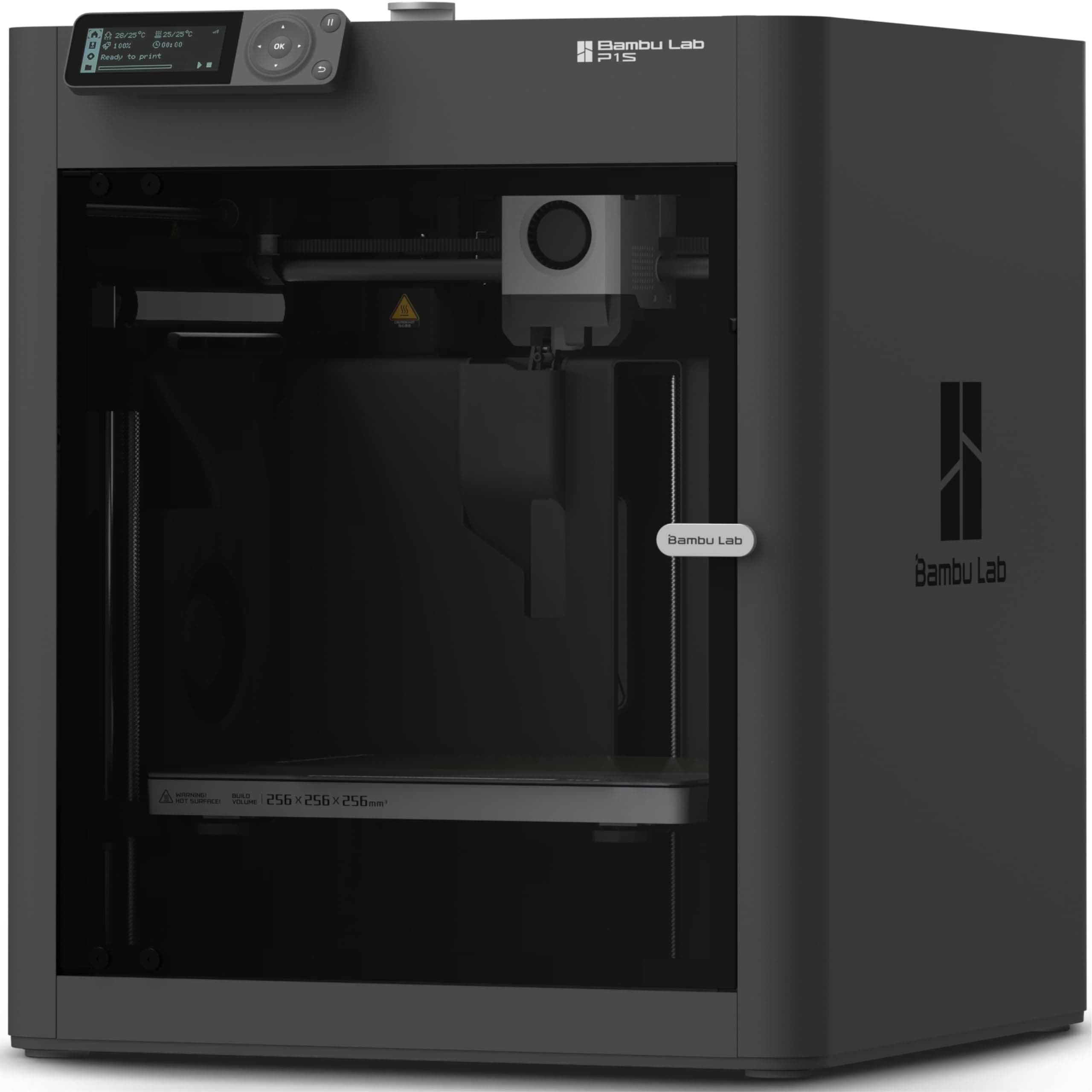
Bambu Lab P1S 3D
The Bambu Lab P1S is ideally suited for the discerning hobbyist or small business owner who prioritizes a larger build area and potential future expansion into multi-color printing. This buyer frequently prints objects that push the boundaries of standard printer sizes, such as architectural models, functional prototypes, or larger cosplay components, or needs to produce small batches of parts efficiently. With its substantial 256x256x256mm build volume, the P1S provides the canvas necessary for ambitious projects that would be constrained by smaller print beds. They also value a printer that is 'ready-to-use' with a quick setup time, allowing them to dive into printing diverse complex materials like ABS, PA, and PC without extensive calibration. While its 500mm/s max print speed is highly efficient, it's not the absolute fastest on the market, but it’s ample for their needs, and they aren’t regularly working with specialized engineering filaments like carbon fiber. They recognize the value of its fully enclosed chamber for consistent, warp-free prints with sensitive materials and are prepared for the additional investment in an AMS unit if multi-color capability becomes essential down the line. This buyer is willing to pay the slightly higher $419 price for a robust, user-friendly system with inherent flexibility and room for growth, understanding they forgo the Creality K1C's higher raw speed and native carbon fiber support for their specific priorities.
Buy Creality if...
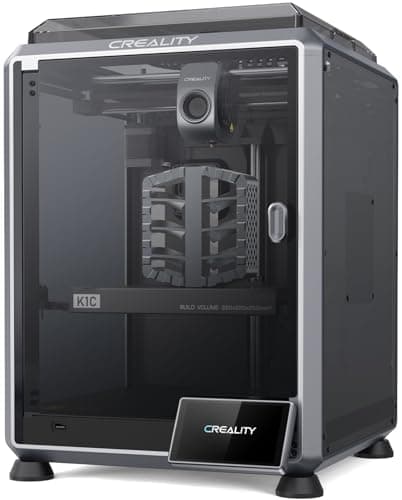
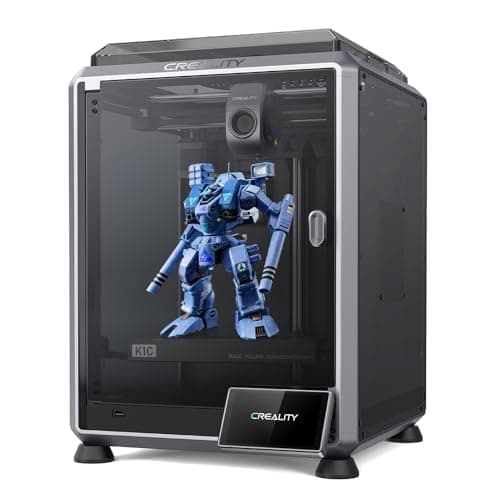
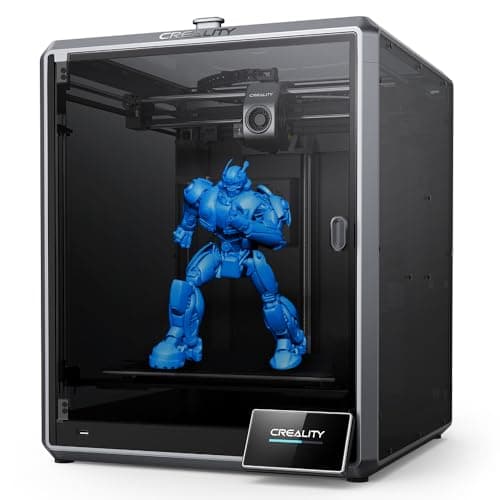
Creality K1C 3D Printer,
The Creality K1C is the perfect choice for the performance-driven user, especially engineers, product designers, or advanced hobbyists who prioritize raw speed and the ability to print with high-strength, specialized materials. This buyer often needs to iterate quickly on designs or produce functional parts with enhanced mechanical properties. The K1C's impressive 600mm/s max print speed is a significant draw, ensuring projects are completed faster, boosting productivity in a professional or intensive hobby environment. Crucially, its native support for carbon fiber filaments, backed by a 300°C nozzle and a robust direct extruder, allows them to create parts with superior stiffness and durability, which is essential for certain industrial or advanced prototyping applications. The integrated AI camera offers peace of mind for long, critical prints, monitoring progress and preventing costly failures, a feature highly valued by users who often print unattended. This buyer appreciates the $399 price point, offering a high-performance, feature-rich machine that excels in specialized niches, even if it means accepting a slightly smaller 220x220x250mm build volume and not having multi-color capabilities as readily available as with the P1S.
Spec Comparison
9 specs compared
| Specification |  |  |
|---|---|---|
| Price | $419 | $399 |
| Rating | 4.6(442) | 4.2(345) |
| Build Volume mm | 256x256x256 | 220x220x250 |
| Max Print Speed mm S | 500 | 600 |
| Leveling Type | Auto | Auto |
| Enclosed | Yes | Yes |
| Weight | 38.9 lbs | — |
| Printer Type | FDM | FDM |
| Multi Color Support | Yes | — |
| Model Number | — | K1C |
| Nozzle Temp Max C | — | 300 |
Swipe horizontally to see all columns
Pros & Cons
Quick overview of strengths and weaknesses
BAMBULAB Bambu Lab
- 500mm/s max print speed for faster output.
- Enclosed build chamber handles advanced filaments.
- Auto bed leveling for consistent first layers.
- Quick setup: ready to print in 15 minutes.
- Multi-color printing needs separate AMS unit.
- Does not support carbon or glass fiber filaments.
Creality K1C 3D
- Prints at 600mm/s; reduces print time.
- Supports carbon fiber and high-temp filaments.
- Direct extruder resists clogging; reliable feeding.
- AI camera monitors prints; detects failures.
- Requires replacement of activated carbon filters.
- Open-source firmware may require technical knowledge.
- Build volume 220x220x250mm limits part size.
Frequently Asked Questions
Common questions about this comparison
What is the main difference in print speed between the Bambu Lab P1S and Creality K1C?
The Creality K1C offers a maximum print speed of 600mm/s, which is 100mm/s faster than the Bambu Lab P1S's 500mm/s, resulting in quicker overall print times.
Which printer has a larger build volume?
The Bambu Lab P1S provides a build volume of 256x256x256mm, offering more space for larger models or multiple prints compared to the Creality K1C's 220x220x250mm.
Can either printer print with carbon fiber filaments?
Yes, the Creality K1C explicitly supports carbon fiber filaments due to its robust direct extruder and 300°C nozzle, whereas the Bambu Lab P1S does not support them.
Is multi-color printing possible with these models?
The Bambu Lab P1S supports up to 16 colors/multi-materials but requires a separate AMS unit. Multi-color capabilities are not highlighted for the Creality K1C.
What advanced features does the Creality K1C offer for monitoring prints?
The Creality K1C includes an AI camera for real-time print monitoring and failure detection, enhancing reliability, a feature not specified for the P1S.
Which printer is more affordable?
The Creality K1C is slightly more affordable at $399, while the Bambu Lab P1S is priced at $419.
Related Comparisons
Similar products people compare
BAMBULAB vs FLASHFORGE
$419 vs $379
BAMBULAB vs FLASHFORGE
$419 vs $339
BAMBULAB vs ELEGOO
$419 vs $520
BAMBULAB vs ELEGOO
$419 vs $340
BAMBULAB vs ELEGOO
$419 vs $380
Creality vs ELEGOO
$399 vs $380
BAMBULAB vs FLASHFORGE
$419 vs $339
ANYCUBIC vs BAMBULAB
$670 vs $419
BAMBULAB vs ELEGOO
$419 vs $520
Creality vs FLASHFORGE
$399 vs $339
BAMBULAB vs Comgrow
$419 vs $399
BAMBULAB vs Creality
$419 vs $649
BAMBULAB vs Comgrow
$419 vs $719
BAMBULAB vs FLASHFORGE
$419 vs $379
Creality vs FLASHFORGE
$399 vs $379
Explore Other Categories
Popular comparisons across the site


Ask AI
Get instant answers about specs
Get the Deets
Ask our AI assistant
Ask Deets anything!