Our Verdict
BAMBULAB Bambu Lab P1S 3D Printer Wins
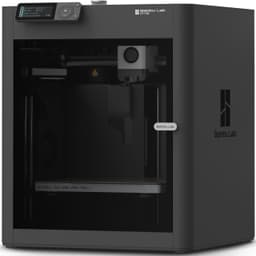
The P1S offers exceptional value, delivering a fast 500mm/s print speed and a crucial enclosed build volume for advanced filaments like ABS and PC, all at a significantly lower price of $419 compared to the K2 Combo's $649. While the Creality K2 Combo boasts a slightly faster 600mm/s and integrated multi-color, its higher cost offsets these marginal gains for many users. The Creality K2 Combo is the better pick for users prioritizing the absolute highest speeds, integrated multi-color out-of-the-box, and AI monitoring, provided their budget accommodates the $230 price difference.
Bottom Line: BAMBULAB Bambu Lab P1S 3D Printer is the better choice. The P1S offers exceptional value, delivering a fast 500mm/s print speed and a crucial enclosed build volume for advanced filaments like ABS and PC, all at a significantly lower price of $419 compared to the K2 Combo's $649.
In-Depth Analysis
How they compare in practice
In the competitive FDM 3D printer market, the Bambu Lab P1S and Creality K2 Combo both aim for high-speed performance, but they approach value and features differently. The P1S, priced at $419, presents itself as an incredibly strong contender for its price point. Its fully enclosed design right out of the box is a significant advantage, enabling reliable printing of temperature-sensitive filaments such as ABS, PA, and PC without needing further modifications. This enclosure helps maintain stable internal temperatures, reducing warping and improving print quality for these challenging materials. While its maximum print speed of 500mm/s is slightly less than the K2 Combo, it's still remarkably fast for consumer-grade printers, translating to much quicker project completion times compared to older generation FDM machines.The Creality K2 Combo, at $649, positions itself as a premium offering with several integrated advanced features. Its headline 600mm/s max print speed is technically superior, potentially shaving off a few more minutes on very large or numerous prints. However, the most compelling integrated advantage for the K2 Combo is its multi-color printing capability via the Color Flow System (CFS), along with AI cameras for print failure detection and full auto-leveling. For users who specifically need multi-color prints without purchasing an additional accessory like Bambu Lab's AMS, the K2 Combo offers an all-in-one solution. The AI camera can be a valuable tool for monitoring, reducing material waste from failed prints, and offering peace of mind.Real-world usage highlights these trade-offs. A P1S user might spend less upfront but would need to invest separately in Bambu Lab's AMS for multi-color, adding to the total cost. Conversely, a K2 Combo owner enjoys the convenience of built-in multi-color and AI monitoring from day one, along with a slightly larger build volume of 260x260x260mm versus the P1S's 256x256x256mm, though this difference is often negligible in practical applications. The P1S's "Ready-to-Use" nature and quick 15-minute setup cater to those who value immediate productivity, while the K2 Combo appeals to tinkerers or professionals seeking integrated cutting-edge features. Ultimately, the P1S delivers exceptional core performance and material versatility for its price, making it a high-value proposition, whereas the K2 Combo justifies its higher cost with integrated luxury features and a slight speed edge.
Key Differences
The most significant spec differences at a glance
Max Print Speed Mm S
17% lessAdvantages
Where each product wins

Creality
- Max Print Speed Mm S: 17% higher (500.0 vs 600)
Which to Pick for Your Situation
Concrete scenarios with a clear recommendation
For the most advanced filament compatibility at a lower cost
BAMBULABThe Bambu Lab P1S includes a fully enclosed chamber out of the box, essential for successfully printing materials like ABS, PA, and PC, all at a $419 price point.
For integrated multi-color printing from day one
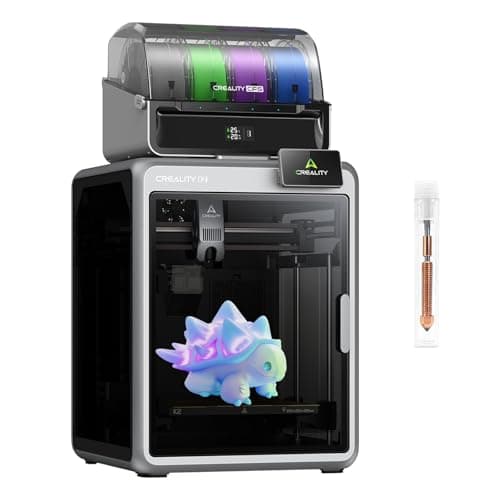
CrealityThe Creality K2 Combo offers multi-color printing with its built-in CFS system, eliminating the need for separate accessory purchases to achieve vibrant prints.
For users prioritizing maximum print speed above all else
CrealityThe Creality K2 Combo boasts a higher maximum print speed of 600mm/s, outperforming the P1S's 500mm/s for slightly faster production.
For value-conscious hobbyists seeking high performance
BAMBULABAt $419, the P1S provides a very fast 500mm/s print speed, auto bed leveling, and an enclosed design, offering excellent performance for significantly less than the K2 Combo.
Who Should Buy Which?
Find the right product for your needs

Buy BAMBULAB if...
Bambu Lab P1S 3D
The ideal buyer for the BAMBULAB Bambu Lab P1S is a hobbyist or prosumer who demands high performance and versatility without stretching their budget excessively. This individual prioritizes core printing capabilities: speed, reliability, and material compatibility. They appreciate the P1S's ability to print at a rapid 500mm/s, significantly reducing print times for projects. Crucially, they value the fully enclosed build chamber (a key specification) right out of the box, as it allows them to confidently print advanced engineering filaments such as ABS, PA, and PC, which require a stable thermal environment to prevent warping and ensure structural integrity. This buyer might be looking to upgrade from an open-frame printer and sees the P1S's enclosure as a gateway to more complex and robust prints. They are willing to forego integrated multi-color printing and AI camera monitoring initially, understanding that these features can be added later if absolutely necessary, or that their primary needs for single-color, high-quality functional prints are met perfectly by the P1S's $419 price point. They seek a "ready-to-use" FDM 3D printer that performs exceptionally well on fundamental aspects.

Buy Creality if...
Creality Official K2 Combo(A)
The Creality Official K2 Combo(A) is tailored for the enthusiast or small business owner who seeks the absolute leading edge in consumer 3D printing technology, and for whom an integrated, feature-rich experience justifies a higher investment. This buyer prioritizes maximum efficiency and convenience, making the K2 Combo's blistering 600mm/s print speed a major draw for faster production cycles. Their projects often involve vibrant, multi-color designs, making the built-in multi-color printing with the Color Flow System (CFS) a non-negotiable feature, saving them the hassle and additional cost of separate multi-material units. Furthermore, this user values advanced smart features; the integrated AI cameras for print failure detection and full auto-leveling offer peace of mind and minimize material waste, particularly useful for long or complex prints. They are comfortable with the $649 price tag, viewing it as a worthwhile investment for a printer that comes packed with all the bells and whistles, including WiFi connectivity and the ability to print high-temp materials up to 300°C for diverse applications. They want a comprehensive, top-tier solution that requires minimal fuss to achieve high-quality, colorful, and rapid results.
Spec Comparison
11 specs compared
| Specification |  |  |
|---|---|---|
| Price | $419 | $649 |
| Rating | 4.6(442) | 4.2(896) |
| Build Volume mm | 256x256x256 | 260x260x260 |
| Max Print Speed mm S | 500 | 600 |
| Leveling Type | Auto | Auto |
| Enclosed | Yes | — |
| Weight | 38.9 lbs | — |
| Printer Type | FDM | FDM |
| Multi Color Support | Yes | Yes |
| WiFi | — | Yes |
| Bed Temp Max C | — | 100 |
| Filament Sensor | — | Yes |
| Nozzle Temp Max C | — | 300 |
Swipe horizontally to see all columns
Pros & Cons
Quick overview of strengths and weaknesses
BAMBULAB Bambu Lab
- 500mm/s max print speed for faster output.
- Enclosed build chamber handles advanced filaments.
- Auto bed leveling for consistent first layers.
- Quick setup: ready to print in 15 minutes.
- Multi-color printing needs separate AMS unit.
- Does not support carbon or glass fiber filaments.
Creality Official K2
- Supports 16-color prints.
- Achieves 600mm/s print speed.
- Prints high-temp materials up to 300°C.
- Full automatic bed leveling.
- Multi-color system may require proprietary modules.
- Limited to 260x260x260mm build volume.
- AI camera accuracy not specified.
Frequently Asked Questions
Common questions about this comparison
How much faster is the Creality K2 Combo compared to the Bambu Lab P1S?
The Creality K2 Combo has a maximum print speed of 600mm/s, which is 100mm/s faster than the Bambu Lab P1S's 500mm/s, offering a marginal speed advantage.
Which printer is better for multi-color printing?
The Creality K2 Combo includes multi-color printing with its CFS system. The Bambu Lab P1S supports multi-color but requires a separate AMS unit.
Can both printers handle advanced filaments like ABS?
Yes, the Bambu Lab P1S has a fully enclosed chamber for materials like ABS, PA, and PC. The K2 Combo prints high-temp materials up to 300°C, also suitable for advanced filaments.
What is the price difference between the two printers?
The Bambu Lab P1S costs $419, while the Creality K2 Combo is priced at $649, representing a $230 difference.
Do these printers have automatic bed leveling?
Yes, both the Bambu Lab P1S and Creality K2 Combo feature automatic bed leveling, ensuring consistent and reliable first layers for your prints.
What are the build volume dimensions?
The Bambu Lab P1S offers a 256x256x256mm build volume, while the Creality K2 Combo provides a slightly larger 260x260x260mm print area.
Related Comparisons
Similar products people compare
Creality vs FLASHFORGE
$649 vs $379
BAMBULAB vs FLASHFORGE
$419 vs $379
BAMBULAB vs Creality
$419 vs $399
Comgrow vs Creality
$719 vs $649
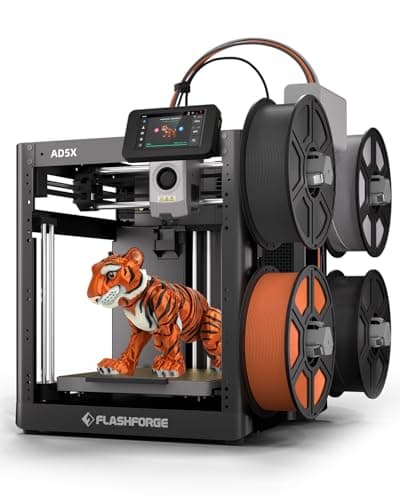
BAMBULAB vs FLASHFORGE
$419 vs $339
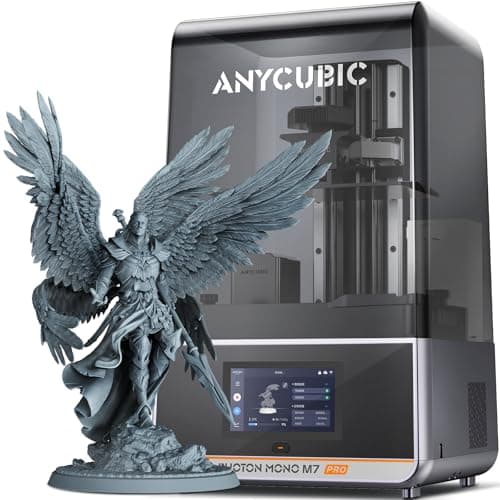
ANYCUBIC vs Creality
$670 vs $649
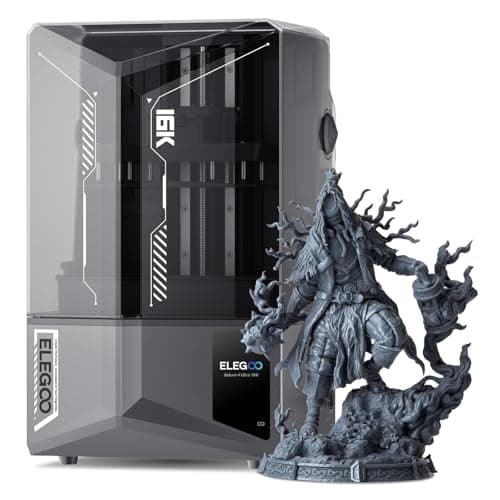
BAMBULAB vs ELEGOO
$419 vs $520
Creality vs ELEGOO
$649 vs $520
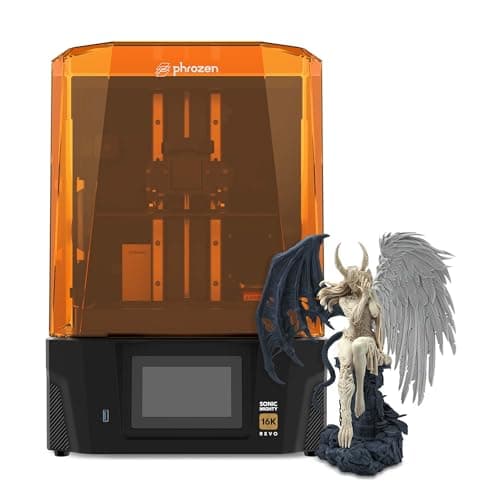
Creality vs phrozen
$649 vs $750
BAMBULAB vs ELEGOO
$419 vs $340
BAMBULAB vs ELEGOO
$419 vs $380
BAMBULAB vs FLASHFORGE
$419 vs $339
ANYCUBIC vs BAMBULAB
$670 vs $419
BAMBULAB vs ELEGOO
$419 vs $520
Creality vs ELEGOO
$649 vs $520
Explore Other Categories
Popular comparisons across the site


Ask AI
Get instant answers about specs
Get the Deets
Ask our AI assistant
Ask Deets anything!