Our Verdict
Creality K2 Combo(A) Wins
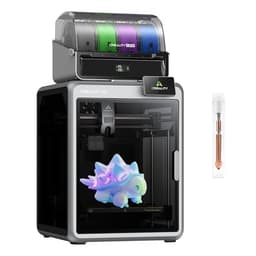
While both offer impressive 600mm/s print speeds and auto-leveling, the K2 Combo provides groundbreaking 16-color multi-material printing capabilities at a lower price point of $649 compared to the K1 Max's $719. The K2 Combo's support for 300°C nozzle temperatures also expands material versatility beyond the K1 Max's unspecified temperature range. The Comgrow Creality K1 Max is the better pick for users prioritizing a substantially larger single-color build volume of 300x300x300mm for massive prints over multi-color functionality and a lower cost.
Bottom Line: Creality K2 Combo(A) is the better choice. While both offer impressive 600mm/s print speeds and auto-leveling, the K2 Combo provides groundbreaking 16-color multi-material printing capabilities at a lower price point of $649 compared to the K1 Max's $719.
In-Depth Analysis
How they compare in practice
The Creality K1 Max and Creality K2 Combo(A) both represent high-speed FDM 3D printing, but they diverge significantly in their core value propositions, catering to different user priorities. Both printers boast an identical top print speed of 600mm/s and auto-leveling, ensuring quick and convenient operation regardless of choice. However, the K1 Max distinguishes itself with a significantly larger build volume, offering 300x300x300mm compared to the K2 Combo’s 260x260x260mm. This 36% greater volume allows the K1 Max user to produce much larger single-piece models, reducing the need for post-printing assembly and expanding the scale of possible projects. Its Core XY structure is often lauded for stability and accuracy, especially at high speeds.
Conversely, the K2 Combo pioneers consumer-grade multi-color 3D printing with its 16-color support system, a feature entirely absent from the K1 Max's specifications. For hobbyists, artists, or product designers looking to create visually complex, vibrant models without tedious manual filament changes or painting, the K2 Combo at $649 offers an unparalleled creative advantage that justifies its slightly smaller build plate. Furthermore, the K2 Combo specifies support for high-temperature materials with a 300°C nozzle and 100°C bed, potentially making it more versatile for engineering-grade filaments than the K1 Max, whose temperature capabilities are not detailed. Both integrate AI features, with the K1 Max featuring AI Lidar for first-layer scanning and the K2 Combo utilizing AI cameras for print failure detection, aiming to improve print success rates.
The trade-off is clear: the K1 Max is the workhorse for large, fast, single-color prints, ideal for functional prototypes or expansive architectural models where scale is paramount. The K2 Combo, despite its smaller volume, is a creative powerhouse, enabling intricate multi-color designs and broader material compatibility at a more accessible price point. The K2 Combo also includes WiFi connectivity and a filament sensor, which are convenient modern features. Buyers must weigh the importance of raw print size against the artistic freedom of multi-color printing and high-temp material support.
Which to Pick for Your Situation
Concrete scenarios with a clear recommendation
For printing large, single-piece prototypes or display models
ComgrowThe Comgrow Creality K1 Max offers a substantially larger 300x300x300mm build volume, accommodating bigger models without requiring division and assembly.
For creating vibrant, multi-color artistic or functional prints
CrealityThe Creality K2 Combo(A) uniquely supports 16-color printing, enabling complex and visually striking designs in a single print job.
For users on a tighter budget seeking advanced features
CrealityPriced at $649, the K2 Combo provides high-speed printing, auto-leveling, and multi-color capabilities at a lower cost than the K1 Max.
For printing with engineering-grade, high-temperature filaments
CrealityThe K2 Combo explicitly supports a 300°C nozzle temperature and 100°C bed, making it suitable for a wider range of advanced materials.
Who Should Buy Which?
Find the right product for your needs

Buy Comgrow if...
Creality K1 Max 3D
The Comgrow Creality K1 Max is ideal for professional designers, small businesses, or serious hobbyists whose primary need is to produce large, high-speed, and accurate single-color prints. This buyer frequently works on substantial projects like full-scale functional prototypes, architectural models, or large cosplay props where the 300x300x300mm build volume is a critical advantage. They value printing efficiency, relying on the 600mm/s speed to reduce print times significantly for massive objects. While they appreciate advanced features, their focus isn't on multi-color aesthetics but on robust, reliable output. The K1 Max's Core XY structure appeals to them for its inherent stability and precision at high velocities. They might be upgrading from smaller printers and are willing to pay the $719 price for the expanded print capacity and advanced AI Lidar system that helps prevent first-layer failures on large, time-consuming prints. They aren't concerned with multi-color printing or the exact nuances of high-temp filament support, as their current projects revolve around monochromatic materials where sheer size and speed are paramount.

Buy Creality if...
Creality Official K2 Combo(A)
The Creality K2 Combo(A) is perfect for creative individuals, artists, product concept designers, and hobbyists who prioritize aesthetic complexity and material versatility over sheer build volume. This buyer dreams of producing intricate, multi-colored prints, whether it's detailed figurines, vibrant artistic pieces, or functional parts with color-coded elements. The K2 Combo's standout 16-color printing capability, coupled with its advanced Color Filament System (CFS), directly addresses this need, offering a groundbreaking creative tool at an attractive $649 price point. They will also benefit from its specified support for high-temperature materials (up to 300°C nozzle, 100°C bed), enabling experimentation with engineering-grade filaments beyond standard PLA. While the 260x260x260mm build volume is smaller than the K1 Max, it's perfectly adequate for most multi-color projects. This user values the convenience of AI cameras for failure detection and modern features like WiFi connectivity, enhancing the overall user experience. They are willing to forego a slightly larger print bed for the immense creative freedom and broader material compatibility that multi-color and high-temp printing offers.
Spec Comparison
9 specs compared
| Specification | 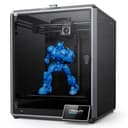 |  |
|---|---|---|
| Price | $719 | $649 |
| Rating | 4.2(10.1k) | 4.2(896) |
| Build Volume mm | 299.974x299.974x299.974 | 260x260x260 |
| Max Print Speed mm S | 600 | 600 |
| Leveling Type | Auto | Auto |
| Printer Type | FDM | FDM |
| WiFi | — | Yes |
| Bed Temp Max C | — | 100 |
| Filament Sensor | — | Yes |
| Nozzle Temp Max C | — | 300 |
| Multi Color Support | — | Yes |
Swipe horizontally to see all columns
Pros & Cons
Quick overview of strengths and weaknesses
Comgrow Creality K1
- 600mm/s print speed significantly cuts job time.
- AI Lidar scans first layer, prevents print failures.
- Large 300x300x300mm build volume fits big models.
- Hands-free auto-leveling simplifies bed setup.
- AI functions add complexity to troubleshooting.
- Large footprint requires significant workspace.
- Reliance on AI may limit manual control options.
Creality Official K2
- Supports 16-color prints.
- Achieves 600mm/s print speed.
- Prints high-temp materials up to 300°C.
- Full automatic bed leveling.
- Multi-color system may require proprietary modules.
- Limited to 260x260x260mm build volume.
- AI camera accuracy not specified.
Frequently Asked Questions
Common questions about this comparison
What is the maximum print speed for both printers?
Both the Comgrow Creality K1 Max and the Creality K2 Combo(A) boast an impressive maximum print speed of 600mm/s, ensuring fast completion of your 3D printing projects.
Which printer has a larger build volume?
The Comgrow Creality K1 Max offers a larger build volume of approximately 300x300x300mm. The Creality K2 Combo(A) has a build volume of 260x260x260mm.
Does either printer support multi-color printing?
Yes, the Creality K2 Combo(A) uniquely supports 16-color multi-material printing thanks to its Color Filament System (CFS). The K1 Max does not specify multi-color capability.
Are both printers equipped with automatic bed leveling?
Yes, both models feature automatic bed leveling. The Comgrow K1 Max has auto-leveling, while the Creality K2 Combo(A) offers full auto-leveling for simplified setup.
Which printer is better for printing high-temperature materials?
The Creality K2 Combo(A) is explicitly designed for high-temperature materials, featuring a 300°C max nozzle temperature and 100°C max bed temperature, ideal for engineering filaments.
Related Comparisons
Similar products people compare
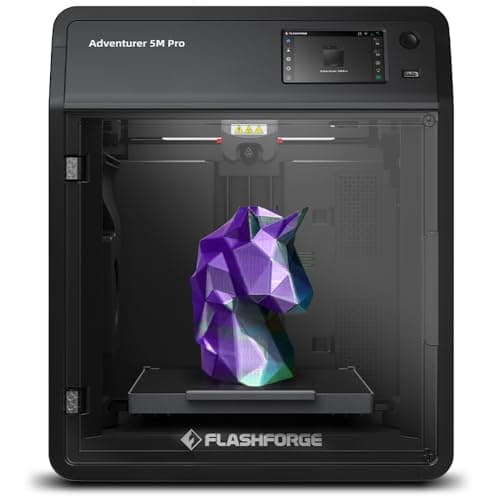
Creality vs FLASHFORGE
$649 vs $379
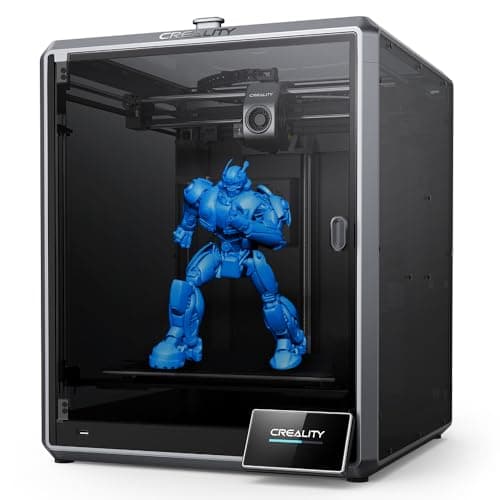
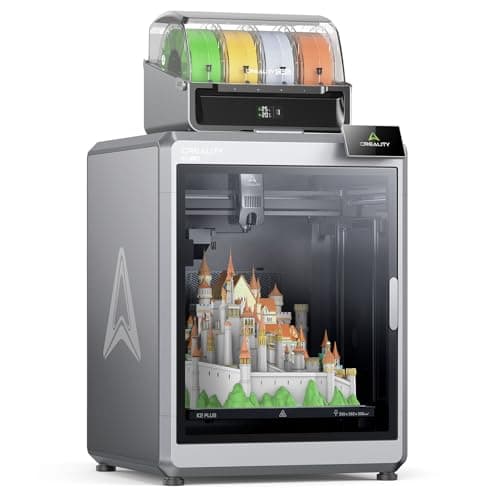
Comgrow vs Creality
$719 vs $1299
Comgrow vs FLASHFORGE
$719 vs $379
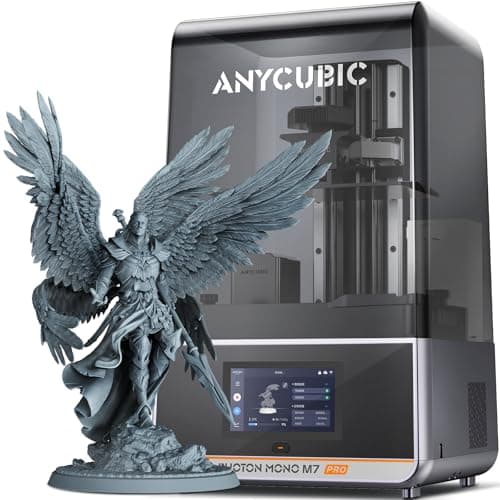
ANYCUBIC vs Creality
$670 vs $649
ANYCUBIC vs Comgrow
$670 vs $719
Creality vs ELEGOO
$649 vs $520
Comgrow vs ELEGOO
$719 vs $520
Creality vs phrozen
$649 vs $750
Comgrow vs ELEGOO
$719 vs $520
Comgrow vs Comgrow
$719 vs $399
Creality vs ELEGOO
$649 vs $520
Comgrow vs phrozen
$719 vs $750
BAMBULAB vs Creality
$419 vs $649
BAMBULAB vs Comgrow
$419 vs $719
Comgrow vs Creality
$399 vs $649
Explore Other Categories
Popular comparisons across the site


Ask AI
Get instant answers about specs
Get the Deets
Ask our AI assistant
Ask Deets anything!