Our Verdict
NexiGo Aurora Pro MKII Wins
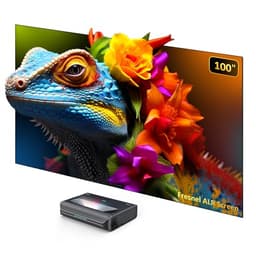
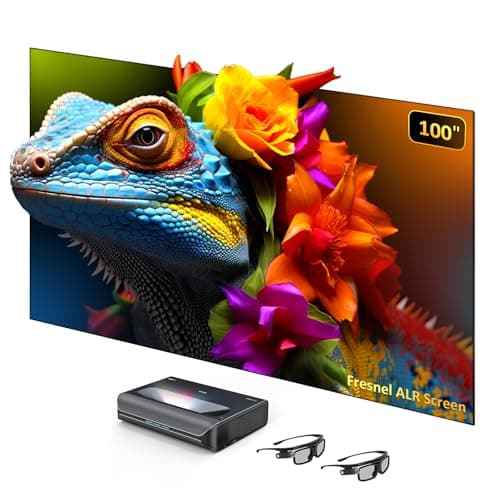
Despite its lower 2400 ANSI lumens compared to BenQ's 3200, the NexiGo's inclusion of a 100-inch Fresnel ALR screen that rejects 85% ambient light makes it far more versatile for typical living rooms. Its superior 30,000:1 contrast ratio and wider 107% BT.2020 color gamut also offer a more immersive visual experience for $200 more. The BenQ W4100i is the better pick for a dedicated, dark home theater where its higher brightness can be fully utilized on larger screens and lens shift provides installation flexibility.
Bottom Line: NexiGo Aurora Pro MKII is the better choice. Despite its lower 2400 ANSI lumens compared to BenQ's 3200, the NexiGo's inclusion of a 100-inch Fresnel ALR screen that rejects 85% ambient light makes it far more versatile for typical living rooms.
In-Depth Analysis
How they compare in practice
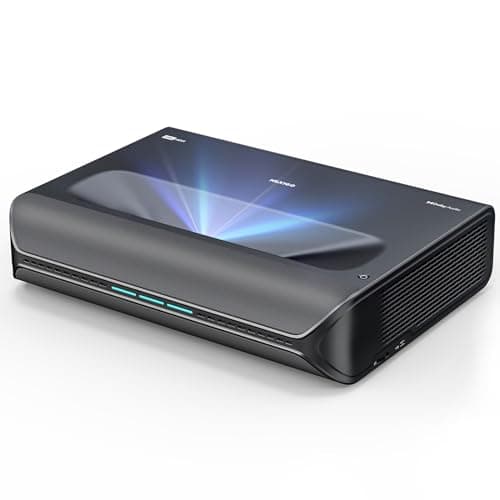
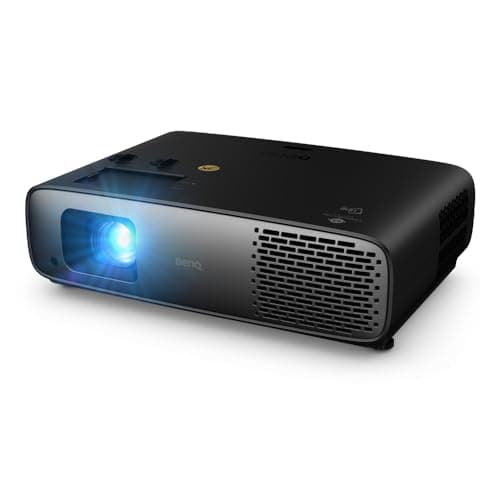
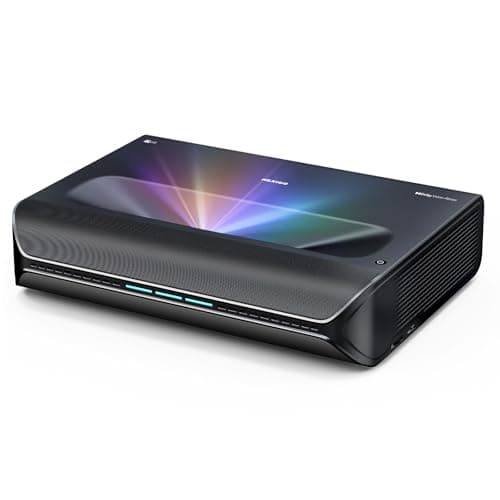
The primary distinction between the BenQ W4100i and the NexiGo Aurora Pro MKII lies in their fundamental approach to home projection and their intended viewing environments. The BenQ W4100i is a conventional long-throw projector, designed for ceiling mounts or shelf placement in a dedicated, light-controlled dark room. Its 3200 ANSI lumens, combined with 100% DCI-P3 color and Native 4K resolution, promise a stunning cinematic experience under ideal conditions. The inclusion of lens shift and 1.3x zoom offers significant installation flexibility, allowing users to fine-tune picture placement without moving the projector itself, a key advantage for custom setups. In stark contrast, the NexiGo Aurora Pro MKII is an ultra-short throw (UST) laser projector, bundled with a 100-inch Fresnel ALR screen. This combination redefines the projector experience for multi-purpose living spaces. Its 0.21:1 throw ratio means it sits just inches from the wall, eliminating ceiling mounts and cable runs across the room. While its 2400 ANSI lumens are lower than BenQ's, the bundled ALR screen's 85% ambient light rejection capability dramatically enhances perceived brightness and contrast, making it a viable TV replacement even in moderately lit rooms. This is a critical trade-off: raw brightness versus light rejection. Furthermore, the NexiGo boasts a superior contrast ratio of >30,000:1 with dynamic iris and laser dimming, alongside an expansive 107% BT.2020 color gamut (wider than DCI-P3). This translates to deeper blacks, brighter whites, and more vibrant, true-to-life colors, especially when coupled with Dolby Vision support. The BenQ, while offering excellent color reproduction with 100% DCI-P3, doesn't specify a contrast ratio, suggesting it might not reach the same dynamic range as the laser-driven NexiGo. Both offer Native 4K and long-lasting light sources (BenQ's LED for 10+ years, NexiGo's laser for 30,000 hours), ensuring longevity. The NexiGo's built-in 60W speakers are also a notable addition, providing a more complete entertainment system out of the box, whereas the BenQ typically relies on external audio solutions. The BenQ prioritizes brightness and installation freedom for specific, dark environments, while the NexiGo delivers an integrated, high-performance solution for everyday living.
Key Differences
The most significant spec differences at a glance
Brightness Ansi Lumens
33% moreAdvantages
Where each product wins

BenQ
- Brightness Ansi Lumens: 33% higher (3200 vs 2400)
Which to Pick for Your Situation
Concrete scenarios with a clear recommendation
For a bright living room as a TV replacement
NexiGoThe NexiGo Aurora Pro MKII's bundled 100-inch Fresnel ALR screen rejects 85% of ambient light, making it highly effective in rooms with uncontrolled lighting.
For a dedicated, light-controlled home theater
BenQThe BenQ W4100i offers 3200 ANSI lumens and lens shift, providing higher brightness for potentially larger screens and greater installation flexibility in dark environments.
For a small apartment with limited space
NexiGoThe NexiGo's 0.21:1 ultra-short throw ratio allows it to project a 100-inch image from inches away from the wall, saving valuable room space.
For maximum color accuracy and contrast
NexiGoThe NexiGo achieves 107% BT.2020 color gamut and a >30,000:1 contrast ratio with dynamic dimming, offering superior visual depth and vibrancy.
Who Should Buy Which?
Find the right product for your needs

Buy BenQ if...
BenQ W4100i 4K HDR
The BenQ W4100i is the ideal choice for the dedicated home theater enthusiast who is building a precise, light-controlled viewing environment. This buyer prioritizes raw image purity and installation adaptability above all else. They likely have a dedicated room with blackout curtains, allowing them to fully capitalize on the projector's impressive 3200 ANSI lumens and native 4K resolution for a truly cinematic, large-screen experience. The BenQ's lens shift and 1.3x zoom are critical for them, offering the flexibility to perfectly align the image to their chosen screen size (which they will purchase separately) and setup, without relying on digital keystone correction that can degrade image quality. They are comfortable with a standard-throw projector setup, potentially ceiling-mounting it for optimal placement. This buyer is also prepared to invest in a separate, high-quality audio system, as the BenQ focuses solely on visual fidelity. They are giving up the convenience of an all-in-one UST solution and ambient light rejection, as their environment is meticulously controlled. Their budget of around $2800 is primarily allocated to a visual centerpiece that integrates into a comprehensive home theater system.

Buy NexiGo if...
NexiGo Aurora Pro MKII
The NexiGo Aurora Pro MKII is tailor-made for the modern homeowner seeking a massive, vibrant display for their multi-purpose living space, without the complexities of a traditional projector setup or a dedicated dark room. This buyer values convenience, style, and the ability to enjoy big-screen entertainment in varying light conditions. Their primary goal is to replace a large TV with an even larger, more immersive picture, and the included 100-inch Fresnel ALR screen is a significant draw, eliminating the need for a separate purchase and drastically improving performance in ambient light. The projector's 0.21:1 ultra-short throw ratio is a game-changer for them, as it means the unit sits discreetly near the wall, freeing up floor and ceiling space and avoiding foot traffic shadows. They appreciate the advanced laser light source for its vivid 107% BT.2020 color gamut, deep >30,000:1 contrast, and exceptional longevity (30,000 hours). The integrated 60W speakers are a welcome bonus, providing a respectable audio solution out of the box. While their budget is slightly higher at $2999, the comprehensive package offers immense value and ease of integration into an everyday living environment. They are willing to sacrifice some installation flexibility (fixed screen size, precise alignment) for the sheer convenience and performance in real-world, non-darkened rooms.
Spec Comparison
9 specs compared
| Specification | 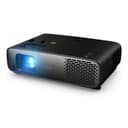 |  |
|---|---|---|
| Price | $2799 | $2999 |
| Rating | 4.6(30) | 5.0(3) |
| Brightness Ansi Lumens | 3200 | 2400 |
| Native Resolution | Native 4K | Native 4K |
| Lens Shift | Yes | — |
| Hdr Support | Yes | Yes |
| Light Source | LED | Laser |
| Throw Ratio | — | 0.21 |
| Speaker Watts | — | 60W |
| Contrast Ratio | — | 30000:1 |
| Lamp Life Hours | — | 30000 hrs |
Swipe horizontally to see all columns
Pros & Cons
Quick overview of strengths and weaknesses
BenQ W4100i 4K
- Native 4K UHD resolution (3840x2160 pixels)
- Achieves 100% DCI-P3 color gamut
- LED light source rated for 10+ years
- 3200 lumens provides high brightness
- Requires controlled dark environment for best picture
- Precise alignment and focus needed for optimal setup
- No explicit mention of low input lag for gaming
- Fixed LED light source, not user-replaceable
NexiGo Aurora Pro
- Achieves >30,000:1 contrast with real-time dimming.
- ALPD 5.0 engine provides 107% BT.2020 color.
- Native 4K resolution with Dolby Vision & HDR10+ support.
- 0.21:1 ultra-short throw fits into small spaces.
- Fixed 100-inch screen limits projection size flexibility.
- Ultra-short throw requires precise screen alignment.
- Built-in 60W speakers are good, but dedicated audio is bette
Frequently Asked Questions
Common questions about this comparison
Which projector is better for use during the day?
The NexiGo Aurora Pro MKII is better for daytime viewing thanks to its included 100-inch Fresnel ALR screen, which rejects 85% of ambient light to maintain picture quality.
What is the lifespan of the light source for each projector?
The BenQ W4100i uses an LED light source rated for 10+ years. The NexiGo Aurora Pro MKII features a laser light source with a lamp life of 30,000 hours, equating to over 10 years of typical use.
Do both projectors offer native 4K resolution?
Yes, both the BenQ W4100i and the NexiGo Aurora Pro MKII feature true native 4K (3840x2160) resolution, delivering sharp and detailed images.
How do their color performances compare?
The BenQ W4100i achieves 100% DCI-P3 color gamut. The NexiGo Aurora Pro MKII excels with 107% BT.2020 color gamut via its ALPD 5.0 engine, offering a wider range of colors.
Is an external sound system necessary for both?
The NexiGo Aurora Pro MKII includes built-in 60W speakers, which are good for casual viewing. The BenQ W4100i typically requires an external sound system for immersive audio.
Which projector offers more installation flexibility?
The BenQ W4100i offers more installation flexibility with its lens shift and 1.3x zoom capabilities, allowing for easier setup with varying throw distances and screen sizes.
Related Comparisons
Similar products people compare
NexiGo vs NexiGo
$2999 vs $2299
BenQ vs NexiGo
$2799 vs $3099
NexiGo vs NexiGo
$2999 vs $3199
BenQ vs Epson
$2799 vs $3199
BenQ vs BenQ
$1998 vs $2799
BenQ vs Hisense
$2799 vs $2998
Hisense vs NexiGo
$2998 vs $2999
AWOL VISION vs NexiGo
$2299 vs $2999
AWOL VISION vs BenQ
$2499 vs $2799
NexiGo vs NexiGo
$2999 vs $3099
AWOL VISION vs BenQ
$3499 vs $2799
BenQ vs BenQ
$2199 vs $2799
AWOL VISION vs NexiGo
$2499 vs $2999
BenQ vs Valerion
$2799 vs $1999
BenQ vs NexiGo
$2799 vs $2299
Explore Other Categories
Popular comparisons across the site


Ask AI
Get instant answers about specs
Get the Deets
Ask our AI assistant
Ask Deets anything!