Our Verdict
FIFINE AmpliGame AM8 Black Wins
For only $17 more, the AM8 provides significantly more versatility with both USB and XLR connection options, alongside crucial zero-latency headphone monitoring. Its on-mic gain control offers immediate audio adjustments, a feature absent on the Razer Seiren V3 Mini which relies on software. The Razer Seiren V3 Mini is the better pick for users prioritizing an ultra-compact, plug-and-play USB microphone at a lower price point, especially if advanced audio control isn't a primary concern.
Bottom Line: FIFINE AmpliGame AM8 Black is the better choice. For only $17 more, the AM8 provides significantly more versatility with both USB and XLR connection options, alongside crucial zero-latency headphone monitoring.
In-Depth Analysis
How they compare in practice
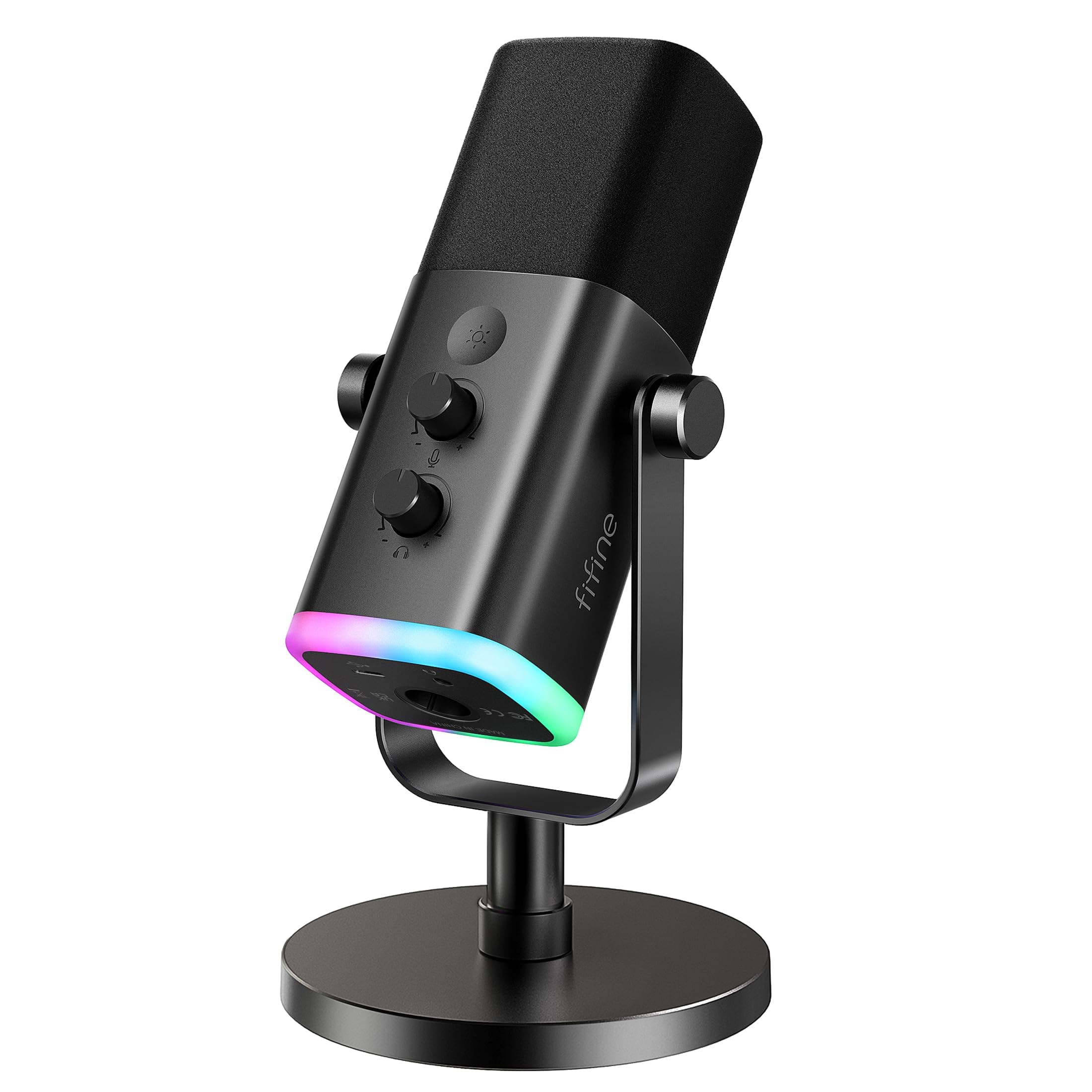
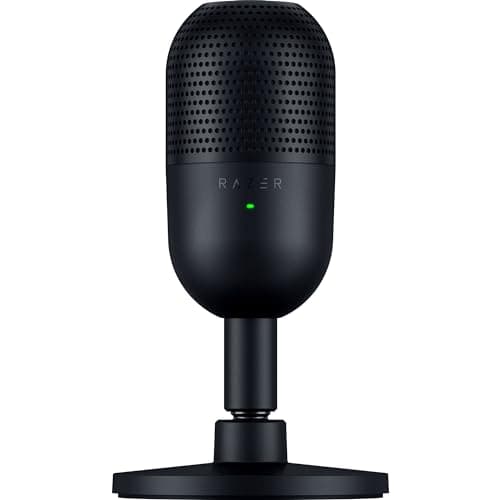
The FIFINE AmpliGame AM8 and Razer Seiren V3 Mini cater to distinct user needs within the entry-level microphone market, primarily differentiating through connectivity and on-device control. The AM8, priced at $56.99, stands out with its dual USB/XLR connection, a critical advantage for users contemplating future audio upgrades or integration with professional interfaces. While its USB mode offers convenience for PC gaming and streaming, the XLR option allows for superior audio quality and connection to mixers or preamps, something the USB-only Razer Seiren V3 Mini ($39.99) simply cannot provide. In terms of real-time audio management, the AM8 offers a more hands-on experience. Its integrated headphone output enables zero-latency monitoring, allowing users to hear their voice exactly as it's being recorded without distracting delays. This feature is indispensable for ensuring optimal vocal delivery and sound quality. Coupled with an on-mic gain control, users can make immediate input level adjustments without diving into software settings. The Seiren V3 Mini, in contrast, lacks a physical gain knob and relies on Razer Synapse software for most audio adjustments, which might be a workflow interruption for some. The polar patterns also present a subtle but important distinction. The AM8 uses a Cardioid pattern, effective at reducing sound from the sides and rear, making it suitable for focused voice capture. The Seiren V3 Mini features a Supercardioid pattern, which is even narrower, providing slightly enhanced rejection of off-axis noise, particularly from the sides. This could make the Seiren V3 Mini marginally better in very noisy environments where strict isolation of the voice is paramount, assuming the user stays directly in front of the mic. However, the AM8’s overall feature set, including its standard 48kHz sample rate, offers a more robust foundation for a broader range of audio tasks. Ultimately, the choice comes down to flexibility versus minimalism. The FIFINE AM8 positions itself as a versatile starting point, offering room to grow with its dual connectivity and essential monitoring tools. Its slightly higher price reflects these added capabilities. The Razer Seiren V3 Mini, on the other hand, is designed for immediate, fuss-free USB use, ideal for those who prioritize a compact footprint and simple plug-and-play functionality above all else, with the understanding that advanced controls reside within its accompanying software.
Which to Pick for Your Situation
Concrete scenarios with a clear recommendation
For an aspiring podcaster on a budget
FIFINEThe FIFINE AM8 offers both USB and XLR connections, providing future-proofing for upgrading to an audio interface for higher quality or multi-mic setups.
For casual gaming and voice chat
RazerThe Razer Seiren V3 Mini's ultra-compact size and simple plug-and-play USB setup make it ideal for quick, unobtrusive desktop use without complex configurations.
For professional streaming with real-time audio monitoring
FIFINEThe FIFINE AM8 features zero-latency headphone monitoring and an on-mic gain control, essential for precise audio adjustments during live broadcasts.
For a minimalist desktop setup with limited space
RazerThe Razer Seiren V3 Mini's ultra-compact design is perfect for tight spaces, offering excellent audio capture without taking up much desk real estate.
Who Should Buy Which?
Find the right product for your needs

Buy FIFINE if...
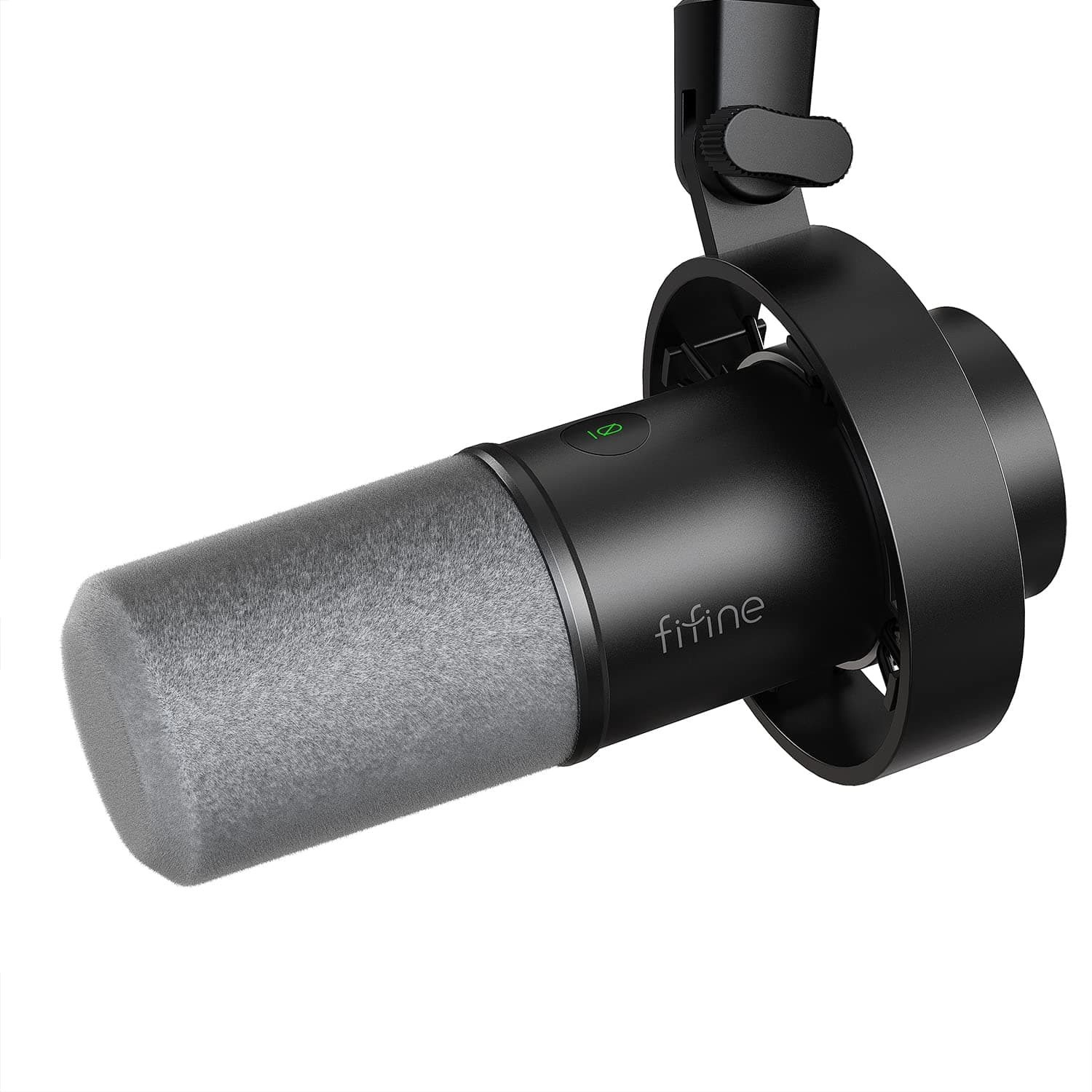
FIFINE USB/XLR Dynamic Microphone
The ideal buyer for the FIFINE AmpliGame AM8 Black is someone who takes their audio seriously but is still mindful of their budget, willing to invest slightly more for significant versatility and control. This individual might be an aspiring podcaster, a dedicated streamer looking to upgrade their sound, or even a burgeoning musician recording demos, seeking a reliable entry-level mic with clear growth potential. They prioritize direct, immediate control over their sound, valuing the on-mic gain control for quick, tactile adjustments during live sessions or recording. The inclusion of zero-latency headphone monitoring is a critical feature for them, ensuring they can hear their output precisely without distracting delays, which is crucial for vocal performance and identifying audio issues instantly. Furthermore, the dual USB/XLR connection type is a huge draw, offering the immediate plug-and-play convenience of USB while providing a clear upgrade path to professional audio interfaces or mixers via XLR, effectively future-proofing their setup. This buyer doesn't mind the slightly larger footprint and is comfortable foregoing the deeper software integration of Razer Synapse, prioritizing hardware control and long-term adaptability.

Buy Razer if...
Razer Seiren V3 Mini
The Razer Seiren V3 Mini is perfectly suited for the user who values simplicity, compactness, and affordability above all else, making it an excellent entry point into quality audio. This ideal buyer is likely a casual gamer, a student participating in online classes, a frequent video caller, or anyone needing a reliable microphone for everyday voice chat and communication without fuss. Their primary need is clear, intelligible audio capture, and they profoundly appreciate a true plug-and-play USB experience that requires minimal setup out of the box. The ultra-compact size is a major selling point, as it fits seamlessly into minimalist desktop setups or small spaces, and its portability makes it convenient for travel or switching between different workstations. While it lacks physical gain control, they are comfortable making adjustments via software like Razer Synapse, perhaps already integrating it into their existing peripheral ecosystem. The Supercardioid polar pattern is beneficial for them as it helps focus intently on their voice while naturally reducing some ambient room noise, making it effective even in less-than-ideal acoustic environments. This buyer is not concerned with advanced features like XLR connectivity or zero-latency monitoring; they prioritize ease of use, a discreet presence, and an attractive low price point for their essential audio needs.
Spec Comparison
11 specs compared
| Specification |  | 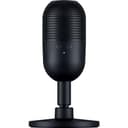 |
|---|---|---|
| Price | $57 | $40 |
| Rating | 4.6(9.6k) | 4.6(904) |
| Sample Rate | 48 kHz | 48 kHz |
| Connection | USB/XLR | USB |
| Polar Pattern | Cardioid | Cardioid |
| Zero-Latency | Yes | — |
| Weight | 1.32 lbs | — |
| Mute Button | Yes | Yes |
| Gain Control | Yes | Yes |
| Software | None | Razer Synapse |
| Headphone Out | Yes | — |
| Freq. Response | 50Hz - 16kHz | — |
| Model Number | — | RZ19-05050100-R3U1 |
Swipe horizontally to see all columns
Pros & Cons
Quick overview of strengths and weaknesses
FIFINE USB/XLR Dynamic
- USB and XLR connections offer setup versatility.
- Cardioid pattern minimizes off-axis sound pickup.
- Tap-to-mute button provides instant privacy control.
- Headphone jack allows real-time audio monitoring.
- RGB & USB functions inactive when using XLR.
- XLR connection requires separate cable.
- No dedicated software for advanced control.
Razer Seiren V3
- Condenser mic captures clear, detailed voice.
- Supercardioid pattern reduces background room noise.
- Tap-to-mute with LED prevents audio mishaps easily.
- Plug-and-play USB setup requires no drivers.
- Requires Razer Synapse for full audio adjustments.
- No physical gain control knob on the device.
- USB connection type offers limited interface options.
Frequently Asked Questions
Common questions about this comparison
Does the FIFINE AM8 require a separate cable for XLR connection?
Yes, the FIFINE AM8 uses a standard XLR port, so you'll need to purchase an XLR cable separately if you plan to use that connection type.
Can I monitor my voice in real-time with the Razer Seiren V3 Mini?
No, the Razer Seiren V3 Mini does not feature a dedicated headphone output for zero-latency monitoring like the FIFINE AM8 does.
Which microphone is better for isolating my voice from background noise?
The Razer Seiren V3 Mini with its Supercardioid pattern is designed to offer slightly better off-axis noise rejection compared to the FIFINE AM8's Cardioid pattern.
Is software necessary to use these microphones?
The FIFINE AM8 is plug-and-play, while the Razer Seiren V3 Mini requires Razer Synapse for full audio adjustments and advanced control.
What is the sample rate for both microphones?
Both the FIFINE AM8 and the Razer Seiren V3 Mini support a sample rate of 48.0 kHz, providing clear digital audio quality.
Which microphone is more portable?
The Razer Seiren V3 Mini is described as ultra-compact, making it significantly more portable and space-efficient than the FIFINE AM8.
Related Comparisons
Similar products people compare
Explore Other Categories
Popular comparisons across the site


Ask AI
Get instant answers about specs
Get the Deets
Ask our AI assistant
Ask Deets anything!