Our Verdict
Creality K1C Wins
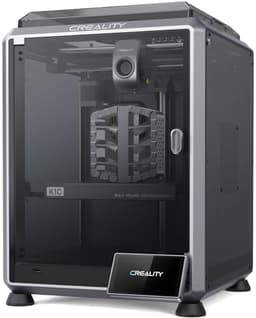
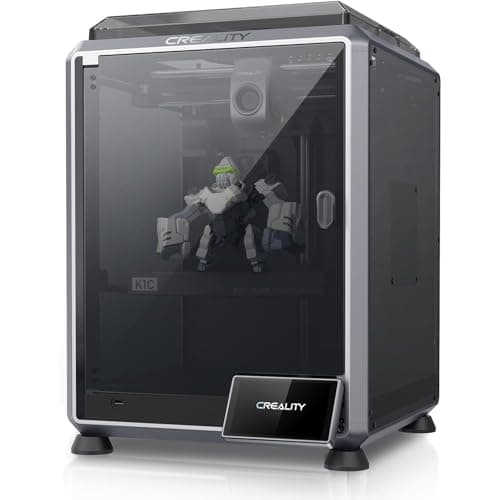
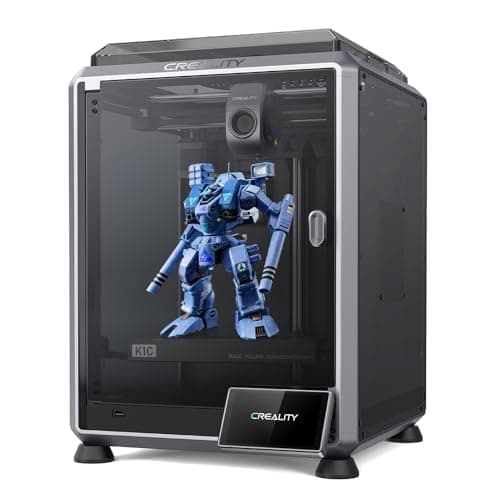
Despite being $60 more at $399, the K1C provides a known 220x220x250mm enclosed build volume, a robust 300°C direct extruder ideal for carbon fiber and high-temp filaments, and an AI camera for print monitoring, significantly boosting reliability and material versatility. Both printers offer a rapid 600mm/s print speed and auto-leveling. The Flashforge AD5X is the better choice for creative users prioritizing multi-color printing and a lower $339 price point, assuming its unknown build volume meets their needs and an enclosure is not critical for their desired materials.
Bottom Line: Creality K1C is the better choice. Despite being $60 more at $399, the K1C provides a known 220x220x250mm enclosed build volume, a robust 300°C direct extruder ideal for carbon fiber and high-temp filaments, and an AI camera for print monitoring, significantly boosting reliability and material versatility.
In-Depth Analysis
How they compare in practice
The Creality K1C and Flashforge AD5X both enter the market boasting impressive 600mm/s print speeds and full auto-leveling, ensuring quick setup and rapid output. However, their core value propositions diverge significantly. The K1C distinguishes itself through its robust material handling and print reliability features. Its fully enclosed build chamber (220x220x250mm) and 300°C max nozzle temperature, coupled with a clog-free direct extruder, make it an excellent choice for engineering-grade materials like carbon fiber, ABS, and ASA, which benefit from a stable thermal environment to prevent warping. The integrated AI camera further enhances reliability, proactively detecting print failures and allowing for remote monitoring.
Conversely, the Flashforge AD5X's standout feature is its 4-color printing capability. This multi-material system unlocks significant creative potential for aesthetic prints, prototypes, or models requiring distinct visual segmentation. While it supports CF materials, the lack of an explicit enclosure mention and details on its extruder’s high-temp performance suggest it might not be as optimized for demanding engineering filaments as the K1C. The AD5X’s lower price point of $339 makes it appealing, but the undisclosed build volume is a significant unknown that potential buyers must consider, especially when compared to the K1C's clearly stated dimensions.
In terms of real-world use, K1C users will experience greater consistency and success with challenging filaments, appreciating the AI camera for peace of mind during long prints. The AD5X user, however, gains immense creative freedom with multi-color projects, a feature the K1C lacks entirely. The trade-off for the AD5X might be increased complexity in material management due to its multi-color system and potentially more maintenance. Ultimately, the K1C offers a more industrial, reliable experience for functional parts, while the AD5X caters to artistic and visually complex projects at a more accessible price.
Which to Pick for Your Situation
Concrete scenarios with a clear recommendation
For printing engineering-grade filaments (e.g., Carbon Fiber)
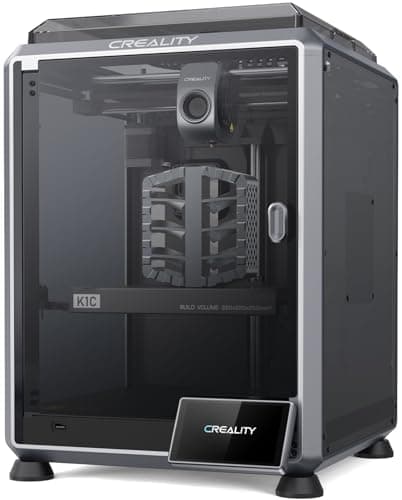
CrealityThe Creality K1C features an enclosed chamber, a robust direct extruder, and a 300°C max nozzle temp, specifically designed for high-temp and composite materials like carbon fiber.
For creative projects requiring multiple colors
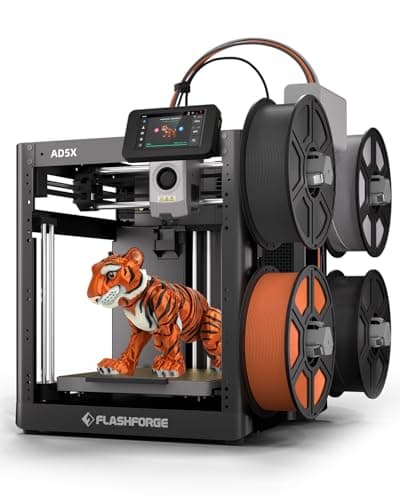
FLASHFORGEThe Flashforge AD5X supports 4-color printing simultaneously, offering unparalleled aesthetic versatility for multi-material designs.
For a budget-conscious hobbyist seeking high speed
FLASHFORGEThe Flashforge AD5X is priced at $339, making it $60 cheaper than the K1C, while still delivering an identical 600mm/s print speed.
For reliable unattended printing with failure detection
CrealityThe Creality K1C includes an AI camera that monitors prints and detects failures, providing peace of mind during remote or long print jobs.
Who Should Buy Which?
Find the right product for your needs
Buy Creality if...
Creality K1C 3D Printer,
The Creality K1C is ideal for users who prioritize robust performance, material versatility, and print reliability, especially when working with engineering-grade filaments. This includes serious hobbyists, small businesses, or educational institutions needing to produce functional parts from materials like carbon fiber, ABS, or nylon. They value the K1C's fully enclosed chamber and 300°C max nozzle temperature for consistent, warp-free prints. The clog-free direct extruder ensures reliable feeding, minimizing frustration. Furthermore, the integrated AI camera is a significant draw for those who run long prints or prefer remote monitoring, as it can detect and notify users of print failures, saving time and material. This buyer is willing to invest $399 for a feature-rich printer that promises higher success rates with challenging materials and requires less manual intervention, making it a dependable workhorse for demanding applications. They aren't concerned with multi-color printing, favoring strength and precision.

Buy FLASHFORGE if...
FLASHFORGE AD5X Multi-Material 3D
The Flashforge AD5X is perfectly suited for creative individuals, artists, educators, or hobbyists whose primary goal is to produce visually striking multi-color prints. At a more accessible price point of $339, it allows users to explore complex aesthetic designs and prototypes with up to four different colors simultaneously. This printer appeals to those who value artistic expression and material variety (PLA, TPU, PETG, CF compatible) over extreme temperature performance or a strictly controlled print environment. While it matches the K1C's impressive 600mm/s print speed and auto-leveling, its appeal is in its unique multi-color capability. This buyer is comfortable with the potential for increased maintenance inherent in multi-material systems and might not require an enclosed chamber for their primary printing needs. They're making a value-driven choice for a versatile creative tool, and features like AI monitoring are less critical than the ability to bring their vibrant designs to life.
Spec Comparison
9 specs compared
| Specification |  | 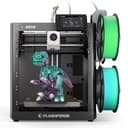 |
|---|---|---|
| Price | $399 | $339 |
| Rating | 4.2(345) | 4.0(407) |
| Build Volume mm | 220x220x250 | UNKNOWN |
| Max Print Speed mm S | 600 | 600 |
| Leveling Type | Auto | Auto |
| Enclosed | Yes | — |
| Model Number | K1C | 6937120321521 |
| Printer Type | FDM | FDM |
| Nozzle Temp Max C | 300 | — |
| Filament Sensor | — | Yes |
| Multi Color Support | — | Yes |
Swipe horizontally to see all columns
Pros & Cons
Quick overview of strengths and weaknesses
Creality K1C 3D
- Prints at 600mm/s; reduces print time.
- Supports carbon fiber and high-temp filaments.
- Direct extruder resists clogging; reliable feeding.
- AI camera monitors prints; detects failures.
- Requires replacement of activated carbon filters.
- Open-source firmware may require technical knowledge.
- Build volume 220x220x250mm limits part size.
FLASHFORGE AD5X Multi-Material
- Prints at 600mm/s for rapid output.
- Supports 4-color printing simultaneously.
- Compatible with PLA, TPU, PETG, and CF materials.
- Full auto-leveling ensures consistent first layer.
- 4-color system increases material waste potential.
- Multi-material system may require more maintenance.
- Lacks explicit mention of an enclosed print chamber.
Frequently Asked Questions
Common questions about this comparison
What is the maximum print speed for both the Creality K1C and Flashforge AD5X?
Both the Creality K1C and Flashforge AD5X offer an impressive maximum print speed of 600mm/s, ensuring rapid production of your 3D models.
Does either printer support multi-color printing?
Yes, the Flashforge AD5X uniquely supports 4-color printing simultaneously, allowing for vibrant and complex multi-material designs, a feature not present in the Creality K1C.
Is the Creality K1C suitable for printing high-temperature filaments?
Absolutely. The Creality K1C features an enclosed design and a 300°C max nozzle temperature, making it ideal for high-temperature and advanced materials like ABS, ASA, and carbon fiber.
What is the build volume of the Flashforge AD5X?
The build volume for the Flashforge AD5X is not explicitly stated. In contrast, the Creality K1C offers a 220x220x250mm build volume.
Which printer includes an AI camera for monitoring?
The Creality K1C is equipped with an AI camera that monitors prints and detects potential failures, enhancing reliability and allowing for remote oversight of your printing process.
Related Comparisons
Similar products people compare
BAMBULAB vs Creality
$419 vs $399
FLASHFORGE vs FLASHFORGE
$339 vs $339
ELEGOO vs FLASHFORGE
$340 vs $339
Creality vs ELEGOO
$399 vs $380
BAMBULAB vs FLASHFORGE
$419 vs $339
Creality vs FLASHFORGE
$399 vs $339
FLASHFORGE vs FLASHFORGE
$379 vs $339
FLASHFORGE vs FLASHFORGE
$339 vs $379
Creality vs FLASHFORGE
$399 vs $379
Creality vs FLASHFORGE
$399 vs $339
Creality vs ELEGOO
$399 vs $340
ELEGOO vs FLASHFORGE
$380 vs $339
ELEGOO vs FLASHFORGE
$300 vs $339
Creality vs FLASHFORGE
$399 vs $379
Comgrow vs Creality
$399 vs $399
Explore Other Categories
Popular comparisons across the site


Ask AI
Get instant answers about specs
Get the Deets
Ask our AI assistant
Ask Deets anything!