Our Verdict
OBSBOT OBSBOT Meet 2-4K Webcam Wins
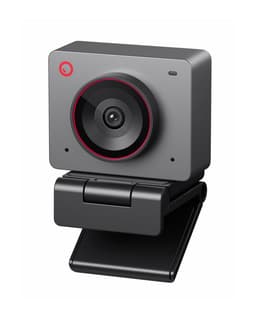
This webcam delivers superior video fluidity with 4K resolution at 60 FPS, a significant upgrade over the Logitech Brio's 4K at 30 FPS, and enhances low-light performance with its 1/2" sensor and HDR support. Priced at $129.0, it offers better value than the Logitech Brio 4K at $169.99, while also including advanced AI framing and gesture control. The Logitech Brio 4K remains a strong pick for users prioritizing a physical privacy shutter and Windows Hello integration, or those needing its specific adjustable field of view options.
Bottom Line: OBSBOT OBSBOT Meet 2-4K Webcam is the better choice. This webcam delivers superior video fluidity with 4K resolution at 60 FPS, a significant upgrade over the Logitech Brio's 4K at 30 FPS, and enhances low-light performance with its 1/2" sensor and HDR support.
In-Depth Analysis
How they compare in practice
The OBSBOT Meet 2-4K and Logitech Brio 4K both offer impressive 4K resolution, but their real-world performance diverges significantly. The OBSBOT's standout feature is its ability to capture 4K video at a smooth 60 frames per second, double the Logitech Brio's 30 FPS. This higher frame rate translates to noticeably more fluid motion, which is crucial for dynamic presentations, streaming, gaming, or any scenario where fast movements are common. In contrast, the Logitech Brio, while offering crisp 4K, can appear choppier during rapid action.
Low-light performance is another key differentiator. The OBSBOT Meet 2-4K utilizes a larger 1/2" sensor and HDR support, which fundamentally improves its light gathering capabilities and dynamic range, producing clearer and more vibrant images in challenging lighting conditions. The Logitech Brio relies on 'HD Auto Light Correction,' which is effective but generally doesn't match the hardware advantage of a larger sensor and HDR for truly low-light environments.
The OBSBOT also introduces intelligent AI framing and gesture control, allowing the camera to automatically keep the subject centered and enabling hands-free operation. This feature can be a game-changer for content creators or remote educators. Logitech offers an adjustable 65, 78, or 90-degree field of view, providing manual control over the shot's breadth, which might appeal to users who prefer a static, precise setup.
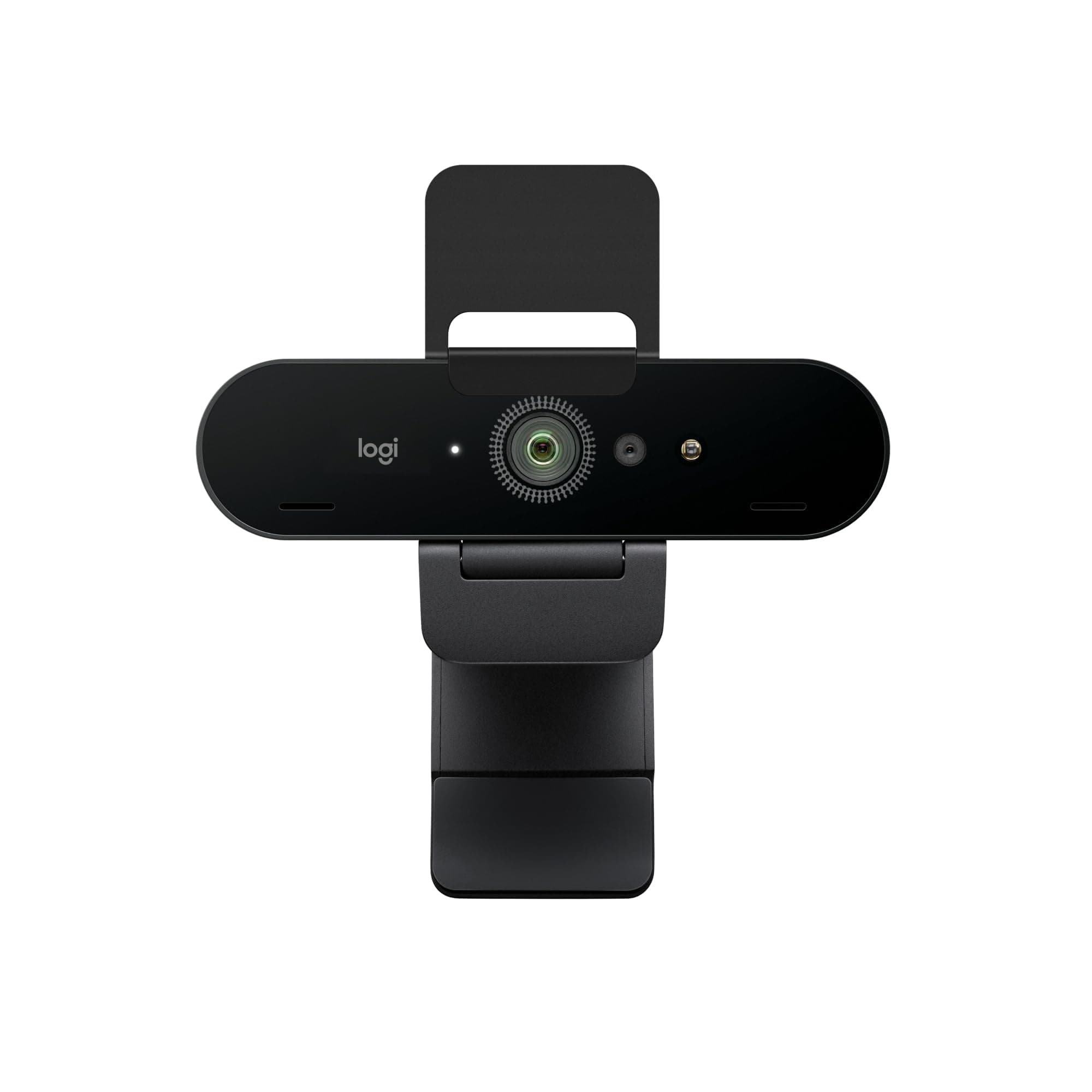
From a practical standpoint, the Logitech Brio includes an attachable physical privacy shutter, offering peace of mind that the OBSBOT lacks. However, the OBSBOT is lighter at 0.089375 lbs compared to the Brio's 0.13875 lbs, making it more portable. The OBSBOT's USB-C only connection might be a limitation for older PCs, whereas the Brio offers broader 'both' connection types. Ultimately, the OBSBOT Meet 2-4K delivers a more modern, feature-rich experience, particularly with its higher frame rate and AI capabilities, at a more attractive price point of $129.0 versus the Logitech Brio's $169.99.
Key Differences
The most significant spec differences at a glance
Max Frame Rate Fps
50% lessWeight
55% moreAdvantages
Where each product wins

OBSBOT
- Max Frame Rate Fps: 50% higher (30 vs 60.0)
- Weight: 55% lower (0.13875 vs 0.089375)
Which to Pick for Your Situation
Concrete scenarios with a clear recommendation
For high-quality streaming and gaming
OBSBOTThe OBSBOT Meet 2-4K offers 4K resolution at 60 FPS, providing significantly smoother and more fluid video capture for fast-paced content, unlike the Logitech Brio's 30 FPS limit.
For professional meetings with privacy as a top concern
LogitechThe Logitech Brio 4K includes a physical privacy shutter and Windows Hello facial recognition, offering enhanced security and peace of mind compared to the OBSBOT which lacks a physical shutter.
For remote presenters who move during calls
OBSBOTThe OBSBOT Meet 2-4K's AI framing intelligently keeps the presenter centered in the frame, reducing the need for manual adjustments and ensuring consistent focus.
For users on a tighter budget seeking 4K
OBSBOTAt $129.0, the OBSBOT Meet 2-4K delivers 4K 60 FPS video and advanced features at a substantially lower price point than the $169.99 Logitech Brio 4K.
Who Should Buy Which?
Find the right product for your needs

Buy Logitech if...
Logitech Brio 4K Webcam,
The Logitech Brio 4K is best suited for the discerning professional or corporate user who values robust security features, brand reliability, and a consistent, high-quality video experience in traditional office or home office settings. This buyer prioritizes features like the physical privacy shutter for absolute peace of mind regarding data security and the convenience of Windows Hello facial recognition for secure, quick logins. They likely engage in frequent video calls, requiring a crisp 4K image and clear audio from the noise-canceling dual microphones. While they might not need the extreme fluidity of 60 FPS for their typical use cases, they appreciate the adjustable 65, 78, or 90-degree field of view to perfectly frame their environment. They are willing to invest a bit more ($169.99) for an established brand and features that integrate seamlessly into a professional ecosystem, accepting 30 FPS as sufficient for their business communications, and valuing explicit manual control over AI-driven features.
Buy OBSBOT if...
OBSBOT Meet 2-4K Webcam
The OBSBOT Meet 2-4K is the ideal choice for content creators, streamers, educators, or dynamic presenters who demand the absolute smoothest 4K video capture and innovative features without breaking the bank. This buyer's priorities are fluid motion, enhanced low-light performance, and intelligent automation that makes their on-camera presence more engaging. The 4K resolution at 60 FPS is crucial for them, delivering significantly more lifelike and professional-looking video for live streams or recorded content. They will greatly benefit from the 1/2" sensor with HDR support, ensuring excellent image quality even in less-than-ideal lighting conditions. The AI framing and gesture control are key selling points, allowing them to move freely and control the camera hands-free during presentations or recordings. Priced at a more accessible $129.0, this user is looking for cutting-edge technology and a strong value proposition, even if it means foregoing a physical privacy shutter or universal USB connection in favor of superior frame rates and smart AI.
Spec Comparison
11 specs compared
| Specification |  |  |
|---|---|---|
| Price | $170 | $129 |
| Rating | 4.5(1.1k) | 4.5(1.6k) |
| Resolution | 4K | 4K |
| Autofocus | Yes | Yes |
| Weight | 0.14 lbs | 0.09 lbs |
| Autofocus Type | AF | AF |
| Connection | both | USB-C |
| Microphone Type | noise-canceling | noise-canceling |
| Privacy Shutter | Yes | — |
| Max Frame Rate Fps | 30 | 60 |
| Low Light Correction | Yes | — |
| Field Of View Degrees | 90 | — |
| Hdr Support | — | Yes |
Swipe horizontally to see all columns
Pros & Cons
Quick overview of strengths and weaknesses
Logitech Logitech Brio
- 4K 30fps video output
- Autofocus with auto light correction
- Adjustable 65, 78, 90 degree field of view
- Noise-canceling dual microphones
- Attachable privacy shutter can be misplaced
- Requires Logi Options+ software for full control
- 4K resolution fixed at 30 frames per second
OBSBOT OBSBOT Meet
- 4K resolution at 60 FPS delivers sharp, fluid video.
- Large 1/2" sensor improves performance in low light.
- AI framing and autofocus ensure subject clarity.
- Gesture control allows hands-free camera adjustments.
- Device may get hot during prolonged operation.
- Requires USB-C connection, not universal for all PCs.
- No physical privacy shutter for camera lens.
Frequently Asked Questions
Common questions about this comparison
Which webcam offers superior low-light performance?
The OBSBOT Meet 2-4K has an advantage with its large 1/2" sensor and HDR support, which significantly improves image quality and detail in dimmer environments compared to the Logitech Brio.
Can either webcam record 4K video at 60 frames per second?
Yes, the OBSBOT Meet 2-4K supports 4K resolution at a fluid 60 FPS, while the Logitech Brio 4K is limited to 30 FPS at 4K.
Does either webcam include a physical privacy shutter for the lens?
The Logitech Brio 4K comes with an attachable physical privacy shutter. The OBSBOT Meet 2-4K does not include a physical privacy shutter.
What is AI framing and which webcam features it?
AI framing is a feature that automatically adjusts the camera's view to keep you centered in the frame, even if you move. The OBSBOT Meet 2-4K incorporates this technology.
Which webcam is more affordable?
The OBSBOT Meet 2-4K is more affordable at $129.0, compared to the Logitech Brio 4K which is priced at $169.99.
Is a USB-C connection required for both cameras?
The OBSBOT Meet 2-4K requires a USB-C connection. The Logitech Brio 4K offers broader connection compatibility, often supporting both USB-A and USB-C via its cable type.
Related Comparisons
Similar products people compare
EMEET vs Logitech
$48 vs $170
EMEET vs OBSBOT
$48 vs $129
EMEET vs OBSBOT
$59 vs $129
AOC vs Logitech
$26 vs $170
Logitech vs NexiGo
$170 vs $120
Elgato vs Logitech
$200 vs $170
NexiGo vs OBSBOT
$120 vs $129
Logitech vs OBSBOT
$195 vs $129
NexiGo vs OBSBOT
$100 vs $129
Logitech vs Logitech
$170 vs $195
OBSBOT vs acer
$129 vs $60
Logitech vs acer
$170 vs $60
Explore Other Categories
Popular comparisons across the site


Ask AI
Get instant answers about specs
Get the Deets
Ask our AI assistant
Ask Deets anything!