Our Verdict
BAMBULAB Bambu Lab P1S 3D Printer Wins
While the Creality K2 Combo boasts a slightly faster 600mm/s and integrated multi-color, its higher cost offsets these marginal gains for many users.
Bottom Line: BAMBULAB Bambu Lab P1S 3D Printer is the better choice. While the Creality K2 Combo boasts a slightly faster 600mm/s and integrated multi-color, its higher cost offsets these marginal gains for many users.
In-Depth Analysis
How they compare in practice
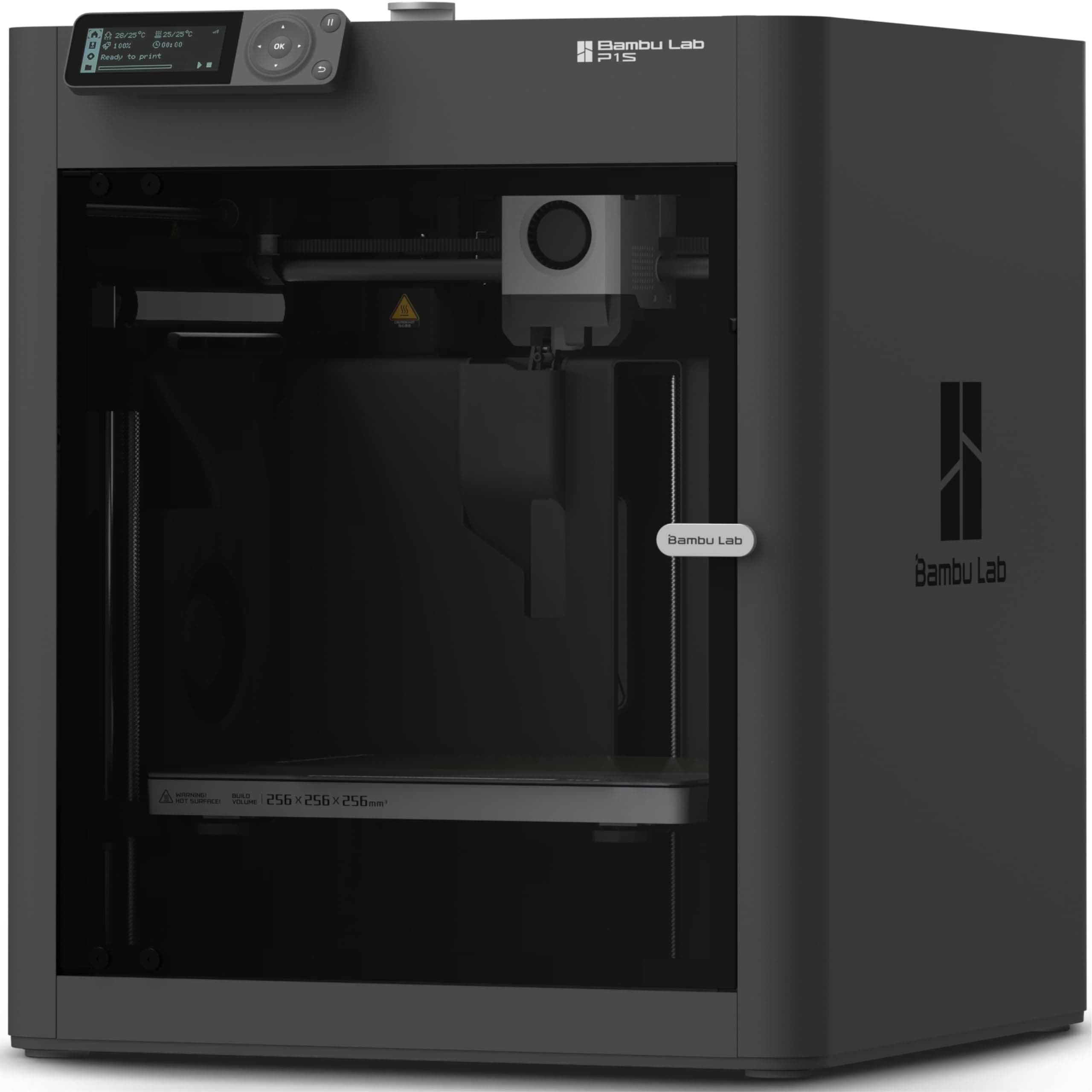
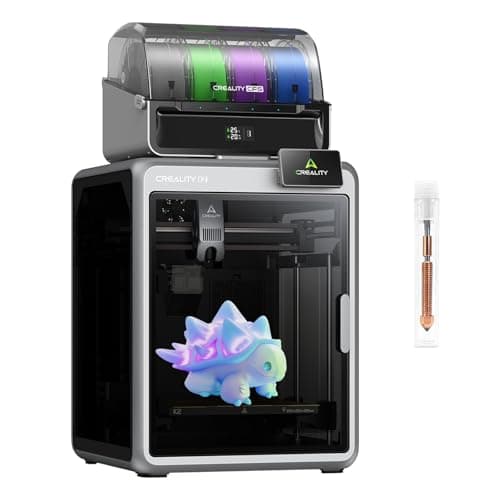
In the competitive FDM 3D printer market, the Bambu Lab P1S and Creality K2 Combo both aim for high-speed performance, but they approach value and features differently. Its fully enclosed design right out of the box is a significant advantage, enabling reliable printing of temperature-sensitive filaments such as ABS, PA, and PC without needing further modifications. This enclosure helps maintain stable internal temperatures, reducing warping and improving print quality for these challenging materials. Its headline 600mm/s max print speed is technically superior, potentially shaving off a few more minutes on very large or numerous prints. However, the most compelling integrated advantage for the K2 Combo is its multi-color printing capability via the Color Flow System (CFS), along with AI cameras for print failure detection and full auto-leveling. For users who specifically need multi-color prints without purchasing an additional accessory like Bambu Lab's AMS, the K2 Combo offers an all-in-one solution. The AI camera can be a valuable tool for monitoring, reducing material waste from failed prints, and offering peace of mind.Real-world usage highlights these trade-offs. A P1S user might spend less upfront but would need to invest separately in Bambu Lab's AMS for multi-color, adding to the total cost. Conversely, a K2 Combo owner enjoys the convenience of built-in multi-color and AI monitoring from day one, along with a slightly larger build volume of 260x260x260mm versus the P1S's 256x256x256mm, though this difference is often negligible in practical applications. The P1S's "Ready-to-Use" nature and quick 15-minute setup cater to those who value immediate productivity, while the K2 Combo appeals to tinkerers or professionals seeking integrated cutting-edge features. Ultimately, the P1S delivers exceptional core performance and material versatility for its price, making it a high-value proposition, whereas the K2 Combo justifies its higher cost with integrated luxury features and a slight speed edge.
Key Differences
The most significant spec differences at a glance
Max Print Speed Mm S
17% lessAdvantages
Where each product wins

Creality
- Max Print Speed Mm S: 17% higher (500.0 vs 600)
Which to Pick for Your Situation
Concrete scenarios with a clear recommendation
For integrated multi-color printing from day one
CrealityThe Creality K2 Combo offers multi-color printing with its built-in CFS system, eliminating the need for separate accessory purchases to achieve vibrant prints.
For users prioritizing maximum print speed above all else
CrealityThe Creality K2 Combo boasts a higher maximum print speed of 600mm/s, outperforming the P1S's 500mm/s for slightly faster production.
Who Should Buy Which?
Find the right product for your needs

Buy BAMBULAB if...
Bambu Lab P1S
The ideal buyer for the BAMBULAB Bambu Lab P1S is a hobbyist or prosumer who demands high performance and versatility without stretching their budget excessively. This individual prioritizes core printing capabilities: speed, reliability, and material compatibility. They appreciate the P1S's ability to print at a rapid 500mm/s, significantly reducing print times for projects. Crucially, they value the fully enclosed build chamber (a key specification) right out of the box, as it allows them to confidently print advanced engineering filaments such as ABS, PA, and PC, which require a stable thermal environment to prevent warping and ensure structural integrity. This buyer might be looking to upgrade from an open-frame printer and sees the P1S's enclosure as a gateway to more complex and robust prints. They seek a "ready-to-use" FDM 3D printer that performs exceptionally well on fundamental aspects.

Buy Creality if...
Official K2 Combo
The Creality Official K2 Combo(A) is tailored for the enthusiast or small business owner who seeks the absolute leading edge in consumer 3D printing technology, and for whom an integrated, feature-rich experience justifies a higher investment. This buyer prioritizes maximum efficiency and convenience, making the K2 Combo's blistering 600mm/s print speed a major draw for faster production cycles. Their projects often involve vibrant, multi-color designs, making the built-in multi-color printing with the Color Flow System (CFS) a non-negotiable feature, saving them the hassle and additional cost of separate multi-material units. Furthermore, this user values advanced smart features; the integrated AI cameras for print failure detection and full auto-leveling offer peace of mind and minimize material waste, particularly useful for long or complex prints. They want a comprehensive, top-tier solution that requires minimal fuss to achieve high-quality, colorful, and rapid results.
Spec Comparison
11 specs compared
| Specification |  | 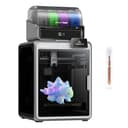 |
|---|---|---|
| Rating | 4.6(442) | 4.2(896) |
| Build Volume mm | 256x256x256 | 260x260x260 |
| Max Print Speed mm S | 500 | 600 |
| Leveling Type | Auto | Auto |
| Enclosed | Yes | — |
| Weight | 38.9 lbs | — |
| Printer Type | FDM | FDM |
| Multi Color Support | Yes | Yes |
| WiFi | — | Yes |
| Bed Temp Max C | — | 100 |
| Filament Sensor | — | Yes |
| Nozzle Temp Max C | — | 300 |
Swipe horizontally to see all columns
Pros & Cons
Quick overview of strengths and weaknesses
BAMBULAB Bambu Lab P1S
- 500mm/s max print speed for faster output.
- Enclosed build chamber handles advanced filaments.
- Auto bed leveling for consistent first layers.
- Quick setup: ready to print in 15 minutes.
- Multi-color printing needs separate AMS unit.
- Does not support carbon or glass fiber filaments.
Creality Official K2 Combo
- Supports 16-color prints.
- Achieves 600mm/s print speed.
- Prints high-temp materials up to 300°C.
- Full automatic bed leveling.
- Multi-color system may require proprietary modules.
- Limited to 260x260x260mm build volume.
- AI camera accuracy not specified.
Frequently Asked Questions
Common questions about this comparison
How much faster is the Creality K2 Combo compared to the Bambu Lab P1S?
The Creality K2 Combo has a maximum print speed of 600mm/s, which is 100mm/s faster than the Bambu Lab P1S's 500mm/s, offering a marginal speed advantage.
Which printer is better for multi-color printing?
The Creality K2 Combo includes multi-color printing with its CFS system. The Bambu Lab P1S supports multi-color but requires a separate AMS unit.
Can both printers handle advanced filaments like ABS?
Yes, the Bambu Lab P1S has a fully enclosed chamber for materials like ABS, PA, and PC. The K2 Combo prints high-temp materials up to 300°C, also suitable for advanced filaments.
Do these printers have automatic bed leveling?
Yes, both the Bambu Lab P1S and Creality K2 Combo feature automatic bed leveling, ensuring consistent and reliable first layers for your prints.
What are the build volume dimensions?
The Bambu Lab P1S offers a 256x256x256mm build volume, while the Creality K2 Combo provides a slightly larger 260x260x260mm print area.
Related Comparisons
Similar products people compare
Explore Other Categories
Popular comparisons across the site





Ask AI
Get instant answers about specs
Get the Deets
Ask our AI assistant
Ask Deets anything!