Logitech G
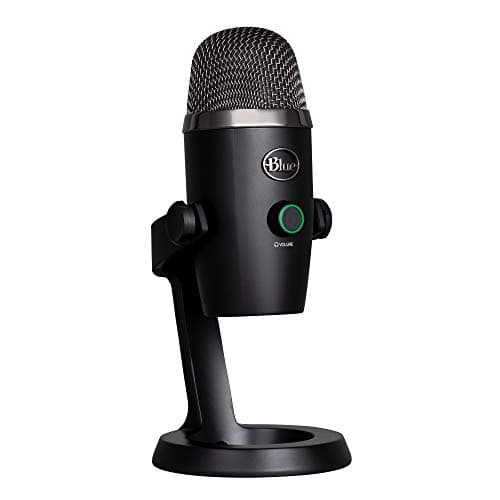
Logitech for Creators Blue Yeti Nano USB
Pros & Cons
Pros
- 24-bit/48kHz audio capture quality
- Zero-latency monitoring via headphone output
- Supports cardioid and omni polar patterns
- Onboard controls for mute, volume, pattern
- USB plug-and-play for PC and Mac
Cons
- USB connection limits expandability
- Limited to two polar patterns
- Blue VO!CE software required for advanced processing
Specifications
9 specs
Customer Reviews
Frequently Asked Questions
Common questions about Logitech G
Is the Logitech Blue Yeti Nano suitable for gaming and streaming?
Yes, the Logitech Blue Yeti Nano is designed for gaming, streaming, podcasting, and recording. It offers 24-bit/48kHz audio capture and zero-latency monitoring, making it ideal for capturing clear audio for your audience on platforms like Twitch and YouTube.
What devices is the Logitech Blue Yeti Nano compatible with?
The Logitech Blue Yeti Nano is compatible with both PC and Mac operating systems, offering plug-and-play USB connectivity. No special drivers are needed, making setup straightforward. For advanced features, the Blue VO!CE software is available.
What does the 24-bit/48kHz audio capture quality of the Blue Yeti Nano mean for my recordings?
The 24-bit/48kHz audio capture quality means the Blue Yeti Nano records audio with high fidelity and detail. This professional-grade resolution ensures your voice or instruments sound clear and rich, delivering excellent quality for podcasts, streams, and music.
Does the USB connection limit the expandability of the Logitech Blue Yeti Nano?
Yes, the USB connection type of the Logitech Blue Yeti Nano means it's a standalone device and does not connect to XLR audio interfaces. While this offers plug-and-play simplicity for PC and Mac, it limits integration with more complex audio setups requiring additional inputs.
How do I set up and use the Blue Yeti Nano?
The Blue Yeti Nano offers USB plug-and-play connectivity for PC and Mac, requiring no additional drivers. Simply connect it to your computer's USB port. You can use onboard controls for mute and volume, and the Blue VO!CE software enhances sound customization.
Comparisons
See how Logitech for Creators Blue Yeti Nano USB compares to similar products
Prices may vary. As an Amazon Associate, we earn from qualifying purchases.



