Our Verdict
AOC 4k Webcam Wins
It offers a smoother 4K video experience at 30 frames per second compared to the VIZOLINK's 25fps, along with a slightly wider 90-degree field of view, making it ideal for dynamic presentations and group calls. Despite being slightly more expensive at $25.63, its higher frame rate delivers a noticeable quality improvement for motion. The VIZOLINK is the better pick for users prioritizing autofocus for consistent clarity and superior audio capture with its four noise-canceling microphones, especially at its more budget-friendly $21.42 price point.
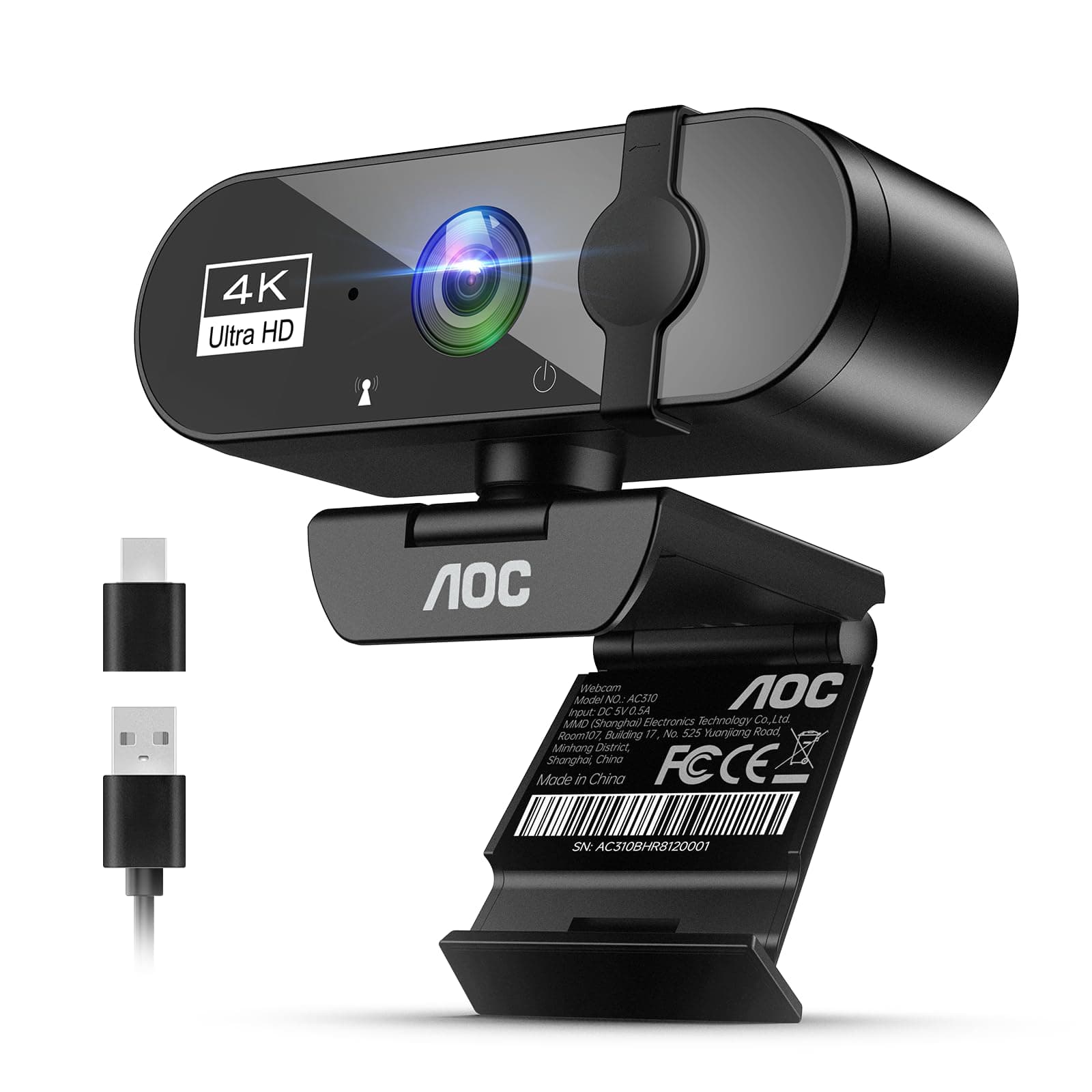
Bottom Line: AOC 4k Webcam is the better choice. It offers a smoother 4K video experience at 30 frames per second compared to the VIZOLINK's 25fps, along with a slightly wider 90-degree field of view, making it ideal for dynamic presentations and group calls.
In-Depth Analysis
How they compare in practice
When comparing the AOC and VIZOLINK 4K webcams, the primary distinctions lie in video fluidity, focus capabilities, and audio pickup, directly influencing their real-world performance. The AOC webcam distinguishes itself with a superior 30 frames per second at 4K resolution, providing noticeably smoother video output compared to the VIZOLINK's 25fps. This difference is critical for streaming, presentations, or any scenario involving movement, where the AOC will reduce motion blur and deliver a more professional visual experience. Furthermore, the AOC's 90-degree field of view is marginally wider than the VIZOLINK's 85 degrees, allowing it to capture more of a room or accommodate more participants in a group setting without distortion.
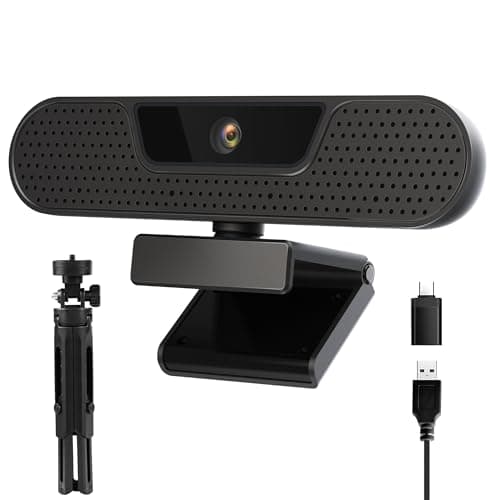
However, the VIZOLINK shines with its inclusion of autofocus, a feature absent in the AOC model. This means the VIZOLINK can automatically adjust its focus to keep subjects sharp, even if they move or change their distance from the camera. For active presenters or those who frequently shift positions, the VIZOLINK ensures consistent image clarity without manual intervention, which is a significant practical advantage. The VIZOLINK also boasts a more advanced audio setup, featuring four noise-canceling microphones compared to the AOC's single noise-canceling mic. This quad-mic array can offer superior voice pickup and more effective suppression of ambient noise, making it potentially better suited for louder environments or larger rooms where clear communication is paramount.
In terms of value, the VIZOLINK is more budget-friendly at $21.42, while the AOC is priced at $25.63. The trade-off for the VIZOLINK's lower price is a slightly less fluid video (25fps) and a narrower FOV, but it gains autofocus and potentially better audio. The AOC, while pricier, offers a smoother visual experience and a broader perspective. Buyers must weigh whether the smoother video and wider FOV of the AOC outweigh the autofocus and advanced audio capabilities of the VIZOLINK, considering their specific use cases and budget constraints.
Key Differences
The most significant spec differences at a glance
Field Of View Degrees
6% moreMax Frame Rate Fps
20% moreAdvantages
Where each product wins

AOC
- Field Of View Degrees: 6% higher (90.0 vs 85.0)
- Max Frame Rate Fps: 20% higher (30 vs 25.0)
Which to Pick for Your Situation
Concrete scenarios with a clear recommendation
For smooth live streaming and dynamic presentations
AOCThe AOC offers a superior 4K resolution at 30 frames per second, ensuring smoother video output and reducing motion blur during active use.
For users needing consistent sharpness with movement
VIZOLINKThe VIZOLINK features autofocus, which automatically adjusts to keep subjects clear even if they move or change distance from the camera.
For crystal-clear audio in noisy environments
VIZOLINKThe VIZOLINK is equipped with four noise-canceling microphones, likely offering better voice pickup and ambient sound reduction than the AOC's single mic.
For budget-conscious buyers prioritizing core 4K functionality
VIZOLINKAt $21.42, the VIZOLINK provides 4K resolution, autofocus, and quad noise-canceling mics at a more accessible price point than the AOC.
Who Should Buy Which?
Find the right product for your needs

Buy AOC if...
AOC 4k Webcam for
The AOC 4k Webcam is an ideal choice for content creators, streamers, and business professionals who prioritize ultra-smooth video output and a broader perspective in their online interactions. If your primary need is a fluid visual experience, especially when there's movement or dynamic content, the AOC's 4K at 30 frames per second is a significant advantage over competitors. Its 90-degree field of view is perfect for including multiple people in a frame or showcasing more of your background in a presentation, without needing to adjust the camera frequently. Users who typically remain relatively static or can manage a fixed focus will find this webcam offers superior visual fidelity for its price point. They are willing to pay a slight premium for the higher frame rate and wider FOV, understanding they are trading off autofocus and a quad-mic array found in other models for a top-tier visual experience.

Buy VIZOLINK if...
VIZOLINK 4K Webcam, Computer
The VIZOLINK 4K Webcam is perfectly suited for users who demand consistent image sharpness, superior audio capture, and excellent value without breaking the bank. This webcam is a strong contender for those in bustling home office environments or shared spaces, thanks to its four noise-canceling microphones that ensure your voice comes through clearly, minimizing distractions. The inclusion of autofocus is a crucial feature for individuals who tend to move during calls, ensuring they remain sharp and in focus without manual adjustments, which is a major convenience. Its 85-degree field of view is ample for individual use and small group settings, providing a focused perspective. Buyers who choose the VIZOLINK will appreciate getting 4K resolution, autofocus, and advanced audio at a lower price, accepting a slightly lower frame rate (25fps) as a reasonable trade-off for these practical benefits.
Spec Comparison
12 specs compared
| Specification |  | 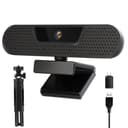 |
|---|---|---|
| Price | $26 | $21 |
| Rating | 4.6(75) | 4.0(2.0k) |
| Resolution | 4K | 4K |
| Autofocus | — | Yes |
| Weight | 0.22 lbs | — |
| Tripod Mount | Yes | Yes |
| Connection | both | USB-C |
| Microphone Type | noise-canceling | noise-canceling |
| Privacy Shutter | Yes | Yes |
| Max Frame Rate Fps | 30 | 25 |
| Low Light Correction | Yes | Yes |
| Field Of View Degrees | 90 | 85 |
| Model Number | — | W8GS |
| Autofocus Type | — | AF |
Swipe horizontally to see all columns
Pros & Cons
Quick overview of strengths and weaknesses
AOC AOC 4k
- Outputs 4K resolution video for sharp imaging.
- 90-degree field of view suits group calls.
- Integrated noise-canceling mic reduces background sound.
- Physical lens cover ensures complete privacy.
- 4K video capped at 30 frames per second.
- No dedicated software for custom video settings.
- Lacks optical zoom for distant subjects.
VIZOLINK 4K Webcam,
- Captures 4K video at 25 frames per second.
- Four noise-canceling mics filter background sound.
- Autofocus ensures consistent image clarity.
- 85-degree wide angle captures broad scene.
- 4K resolution is capped at 25 frames per second.
- 1080P and 720P resolutions are capped at 30fps.
- Voice pickup range effectively limited to 6 meters.
Frequently Asked Questions
Common questions about this comparison
What is the maximum frame rate for 4K resolution on these webcams?
The AOC webcam supports 4K at 30 frames per second (fps). The VIZOLINK webcam supports 4K at 25 fps. AOC provides a slightly smoother video.
Do either of these webcams feature autofocus?
Yes, the VIZOLINK 4K Webcam includes autofocus (AF type) to ensure subjects remain clear. The AOC 4K Webcam does not list autofocus as a feature.
Which webcam offers a wider field of view for group calls?
The AOC 4k Webcam provides a 90-degree field of view. The VIZOLINK 4K Webcam offers an 85-degree field of view. The AOC captures slightly more of the scene.
How do the microphones compare between the two models?
The AOC has an integrated noise-canceling microphone. The VIZOLINK features four noise-canceling microphones, potentially offering superior audio clarity and background noise reduction.
Are privacy covers included with both webcams?
Yes, both the AOC 4k Webcam and the VIZOLINK 4K Webcam come with an integrated physical privacy cover for enhanced security and peace of mind.
Which webcam is more budget-friendly?
The VIZOLINK 4K Webcam is more budget-friendly at $21.42. The AOC 4k Webcam is priced slightly higher at $25.63.
Related Comparisons
Similar products people compare
Explore Other Categories
Popular comparisons across the site


Ask AI
Get instant answers about specs
Get the Deets
Ask our AI assistant
Ask Deets anything!